Conversational attributes: what Google's AI Mode reads in your feed
Conversational attributes are 6 optional Merchant Center fields (question_and_answer, document_link, related_product, item_group_title, variant_option and popularity_rank) that give AI Mode the facts shoppers ask about. They don't affect approval, Google recommends a supplemental feed for them, and they sit on top of product_highlight and product_detail rather than replacing them.
Last verified 21 November 2026. A seven minute read.
What Google reads when a shopper asks
Nobody types "trail shoe women 6" into Google's AI Mode. They ask whether it'll keep their feet dry on a wet fell run, and whether it comes in a wide fit. A title can't answer that, and AI Mode answers in facts.
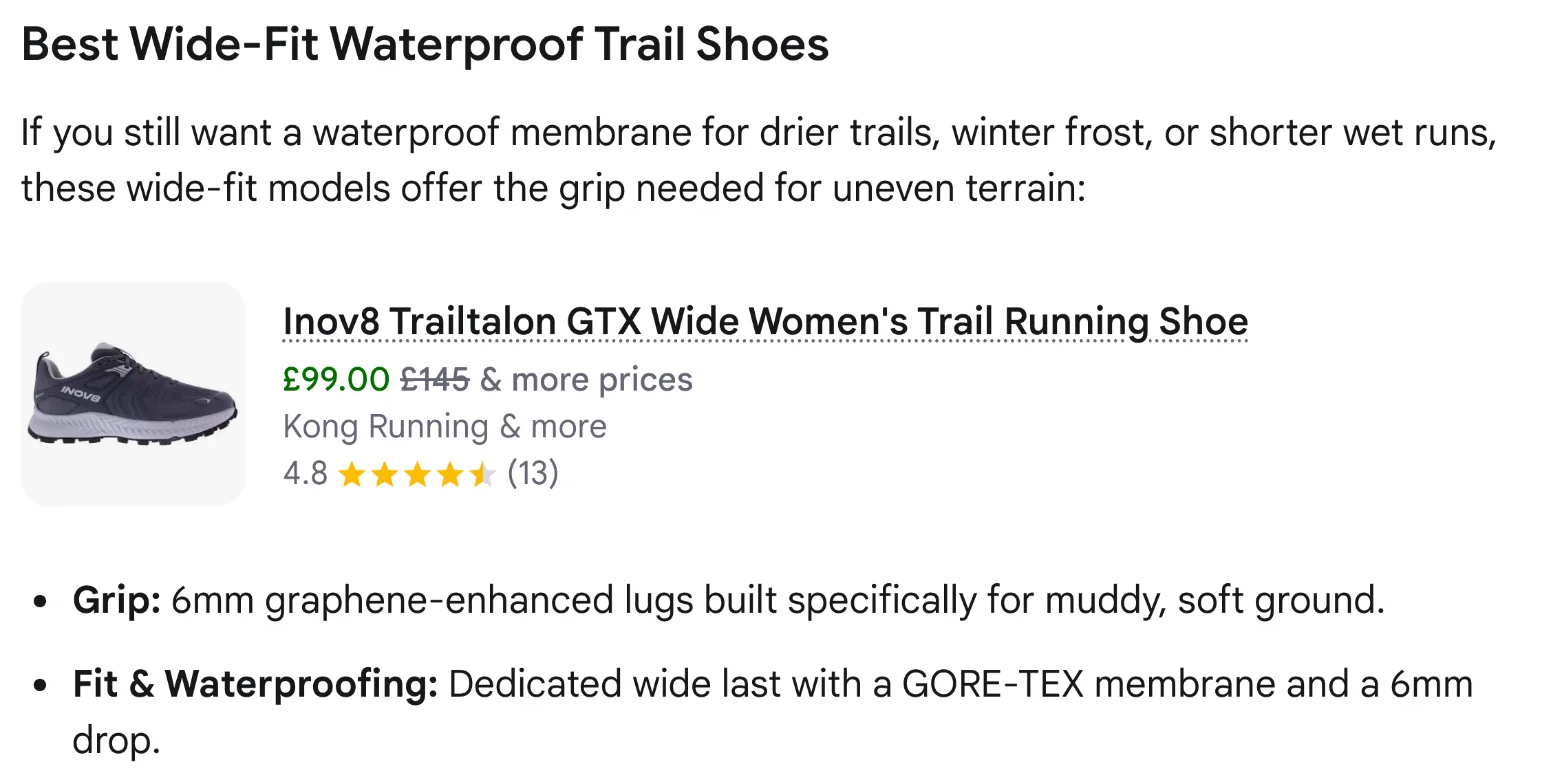
Google added 6 attributes to Merchant Center for exactly this, and announced them at Google Marketing Live on 20 May 20261. It calls them conversational attributes.
Google's overview names AI-driven surfaces like AI Mode in Search as where they help2, and 4 of the 6 attribute pages say they're meant mainly for conversational experiences like it3678. The announcement also mentions Gemini1, but the help pages only name AI Mode, so we'd plan around that.
As of November 2026 they're optional, they won't change the approval status of products you already have, and Google recommends sending them in a supplemental feed so your main feed stays as it is2.
The 6 attributes and their limits
| Attribute | What it holds | Limits |
|---|---|---|
question_and_answer |
Questions shoppers ask, each with its answer | Up to 30 pairs, 1,000 characters each side, 10,000 in total3 |
item_group_title |
One name every variant in a group shares | 1 to 150 characters4 |
variant_option |
What makes this variant different from its siblings | Up to 30 name:value pairs, 250 characters each5 |
related_product |
Your other products and how they relate | Up to 30, as type:gtin or type:id plus the identifier6 |
document_link |
PDFs about the product: manuals, fit guides, inserts | Up to 5 public PDF links, 50 MB a file7 |
popularity_rank |
How well it sells against the rest of your range | 0 to 100, one decimal place, no % sign8 |
Every one of the 6 can be used in all countries, according to its own help page345678.
The related_product types are part_of_set, required_part, often_bought_with, substitute, different_brand and accessory6.
A weak value and a good one, for the same shoe
Take a made-up women's waterproof trail shoe, the Fernhill 2, sold in navy and sage, UK sizes 4 to 8. On the left is what we find in real feeds. On the right, the same field done properly.
| Attribute | Weak | Good |
|---|---|---|
question_and_answer |
"Best waterproof trail shoe?" "Yes, the best on the market." | "Will it keep my feet dry?" "Yes. It has a waterproof membrane and a gusseted tongue up to the third eyelet." |
item_group_title |
Fernhill 2 - Navy - UK 6 | Fernhill 2 Women's Waterproof Trail Running Shoe |
variant_option |
option1: Navy / 6 | colour: navy, size: UK 6 |
related_product |
often_bought_with, id SOCK-1 and SOCK-2 in one value | often_bought_with, id FH-SOCK-M |
document_link |
A PDF brochure about your company | A PDF fit guide for the Fernhill 2 |
popularity_rank |
95% | 95.5 |
The weak question is a keyword dressed up as a question, which Google asks you not to send3.
And option1 is a store platform's name for its first variant field, carried straight into the feed.
We see it often, and no shopper has ever asked for one.
Start with question_and_answer
We'd do this one first: it's the one that holds questions in the shopper's own words.
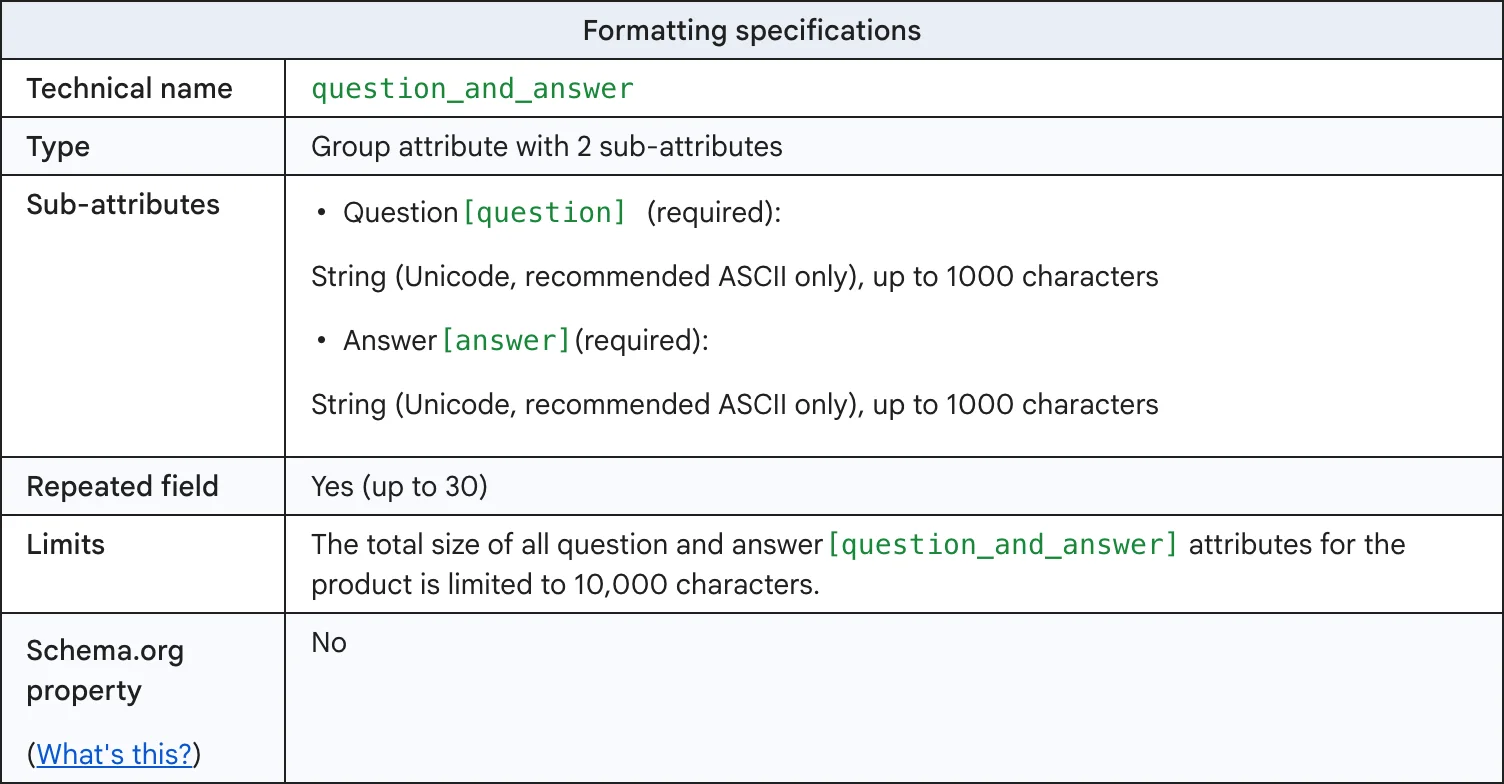
In a text feed each pair is written "Question?":"Answer.", with pairs separated by commas3.
Google recommends TSV over CSV because of how commas are handled, and you can give each pair its own column instead3.
Keep these out3:
- Prices, offers, dates and delivery times. They have their own attributes.
- Anything already in
title,description,product_detailorproduct_highlight. - Questions a linked PDF already answers. Google reads FAQs out of
document_linkdocuments itself.
The best questions are the ones people already ask you. Your support inbox, live chat and returns reasons are full of them. Use the question as they asked it, then answer it from the product data and nothing else. If the data doesn't say the shoe fits a wide foot, the answer isn't "yes".
Variants: item_group_title and variant_option
These two go together, with the item_group_id you probably already send45.
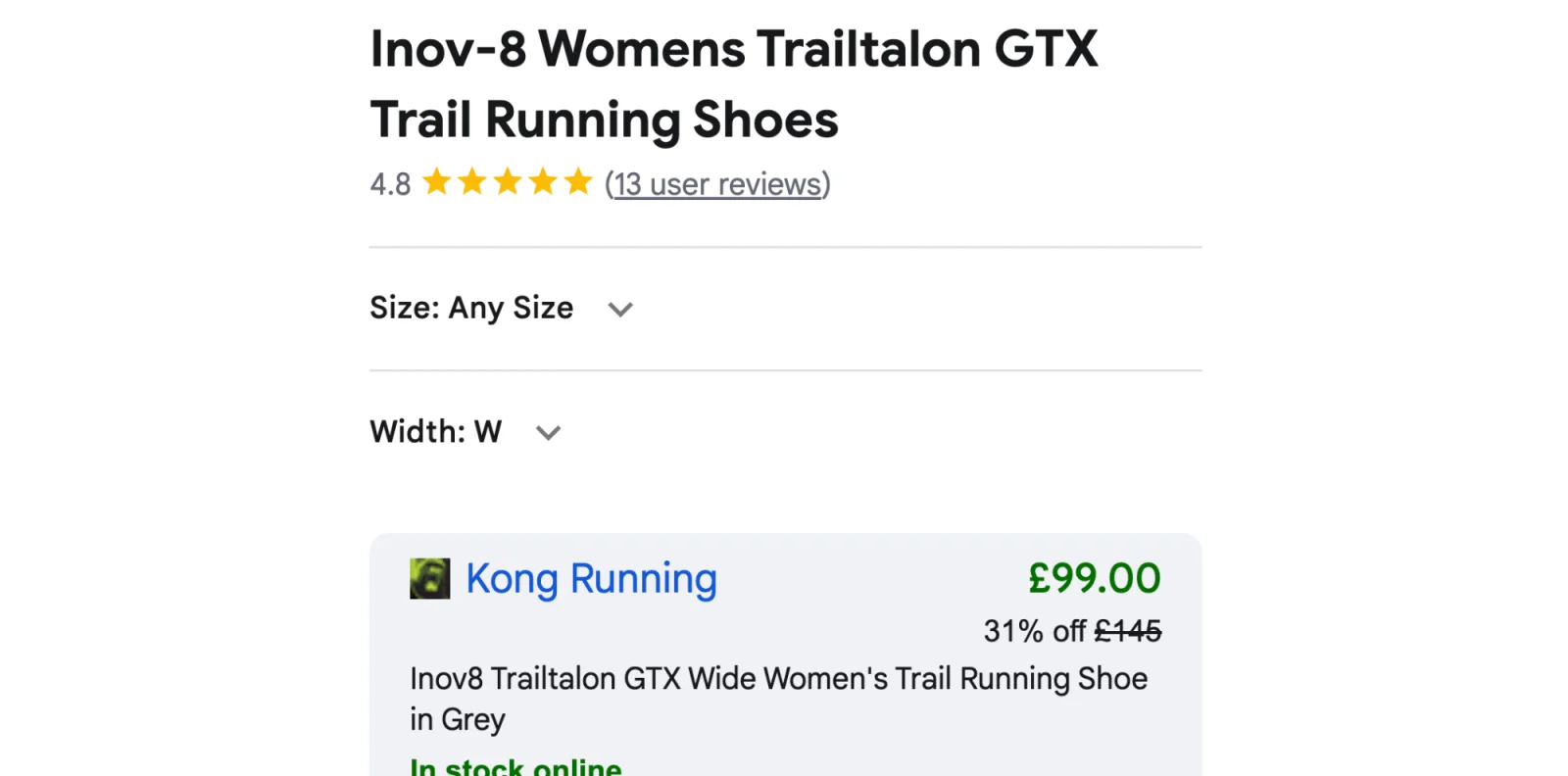
The group title is the product's name with no size or colour in it.
Each variant keeps its own title, which should differ from the group title and can carry the size and colour4.
Shoppers often see only the first 70 characters or so of a group title, so put the words that matter first4.
Google's rules for variant_option are strict5:
- the same option names on every variant in a group, with a different combination of values on each
- a landing page that shows the values you send
- nothing at all on a product that isn't a variant
Send it even if color and size already vary, Google says, because those standard attributes also describe products that have no variants5.
The two older attributes Google points to
Google says that if description, product_highlight or product_detail already carry a fact, you needn't repeat it in the new 62.
Both older ones name AI Mode on their own help pages too910.
product_highlight takes short selling points about the product itself: at least 2, at most 100, 4 to 6 recommended, up to 150 characters each9.
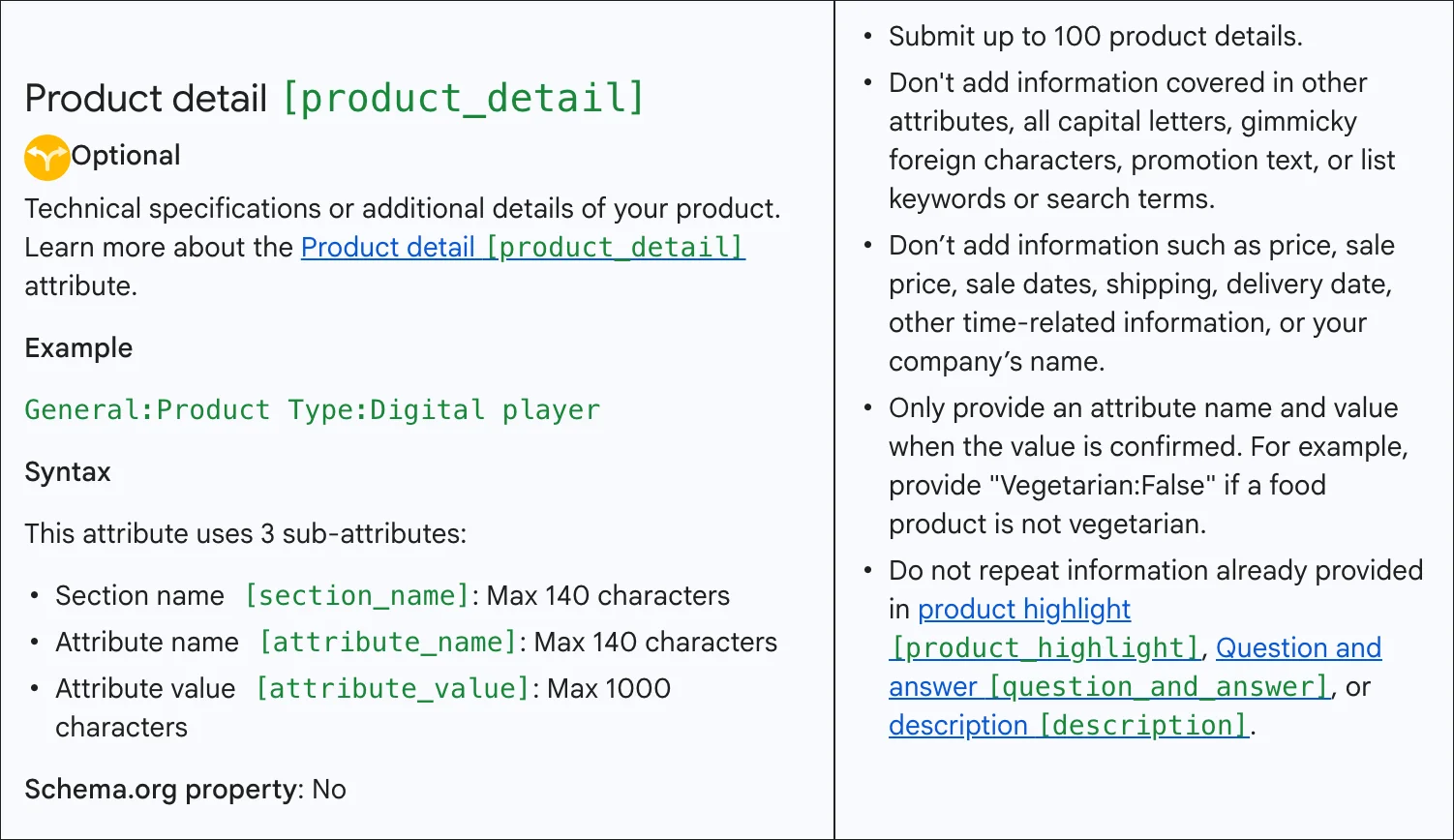
product_detail takes specs as section, name and value, such as Fit:Heel-to-toe drop:6 mm, up to 100 per product10.
That's where a fact like the "6 mm drop" AI Mode quoted at the top of this guide belongs: in a field, not a paragraph.
Google's own pages disagree on how long a detail can be. The help page says 150 characters per detail10, while the product data specification allows 1,000 for the value alone11. They still disagreed when we checked on 21 November 2026, so keep each whole detail under 150 and you're inside both.
How to send them
A supplemental feed adds columns to products already in your main feed12.
It matches each row on id, which has to equal the main feed's ID exactly, and it can't add or remove products12.
The Supplemental sources tab only appears once you turn on the Advanced data source management add-on, under Settings, then Add-ons12.
So the file is an id column plus one column for each attribute you're adding.
Leave a cell empty where a product has nothing true to say.
Google publishes a TSV template, linked from its help article2.
You can also add the columns to your main feed, or send them through the Merchant API2.
If your products reach Google through a store app, such as the Google & YouTube app on Shopify, don't expect these columns to appear by themselves. Google's help for that app, which we checked on 21 November 2026, lists what it syncs and says nothing about conversational attributes14. The answers exist in your descriptions, size guides and support inbox; nothing moves them into the fields.
popularity_rank is the easiest to keep fresh this way.
Google suggests basing it on recent sales, such as the last month, ranked within the same general category, and updating it when popularity changes a lot8.
How to tell if it's working
Merchant Center has an AI performance report, under Analytics, then Products, on the AI performance tab13. It shows your share of voice in AI Mode and AI Overviews against competitors, and scorecards for top terms13. Open the popular attributes card first: it lists what shoppers search for that may be missing from your data13.
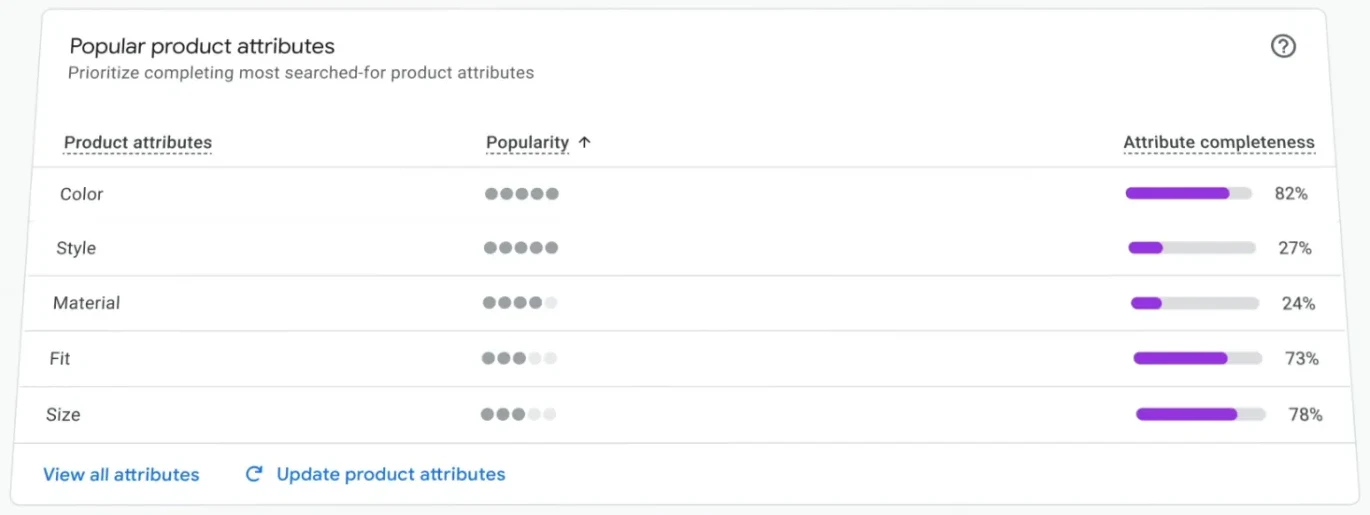
As of November 2026 it covers English-language queries only, for accounts in Australia, Canada, India, New Zealand and the US, and it leaves out ads13. We couldn't find a breakdown by conversational attribute in it, so it won't tell you which one moved a result. Note the date you add them and compare the same products before and after.
What to do this week
- Pick your best sellers. We'd start with the top 50 to 200, not the whole catalogue. That number is our advice, not Google's.
- Set
popularity_rankfrom last month's sales. One number per product. - Fix variant groups: a clean
item_group_title, andvariant_optionnames that match across every group. - Pull 5 real questions per product from support and returns, and answer them from the product data.
- Link the PDFs you already have, once you've checked they're public and yours to share.
- Send it all as one supplemental feed keyed on
id, and check Merchant Center for warnings the next day.
The rest of the feed is in agentic commerce readiness, and the wider AI Mode picture is in the Google AI Mode feed guide.
If your product facts are stuck in descriptions
The hard part of this guide is the right-hand column of that weak and good table, for every product you sell.
FeedWorks shows the required and recommended fields for Google per product, including the 6 conversational attributes, and its Google template sends them. It pulls facts such as colour, material and fit out of your titles, descriptions and tags into proper fields, as rules that keep working on new products.
Aurora drafts the rules and, by default, you approve them before they reach the feed.
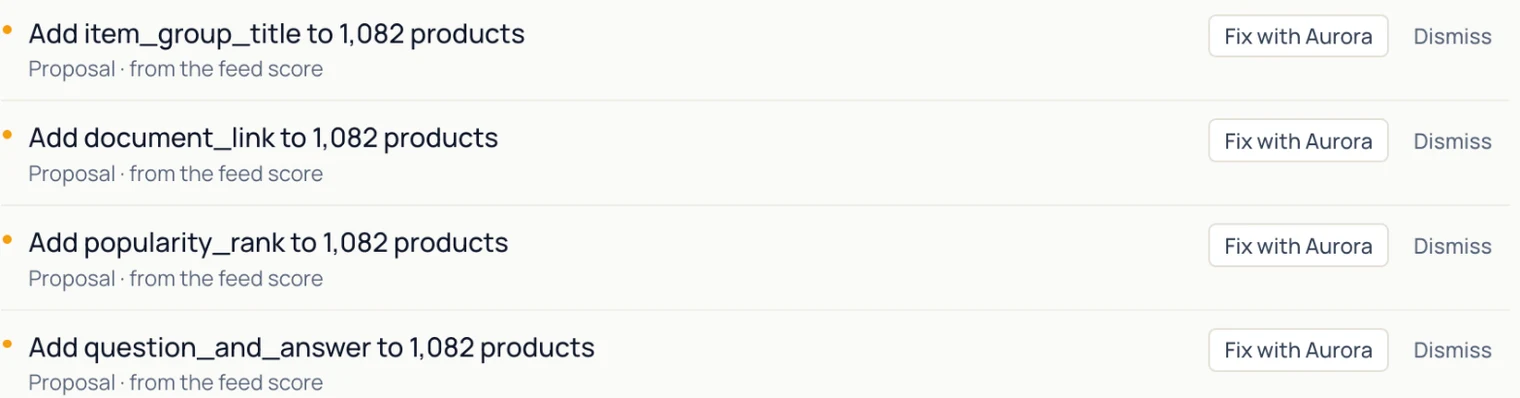
In early access, FeedWorks also asks AI Mode, ChatGPT and other assistants shopper questions and shows which of your products they name.