How to get your products into AI shopping assistants
As of November 2026, ChatGPT, Google AI Mode and Gemini, Microsoft Copilot and Amazon all take a product feed, and Meta's Muse draws on the catalogue behind your Meta ads. Perplexity has a merchant programme you apply to by form, and a Google-format feed is the file to have ready for it.
Last verified 21 November 2026. A six minute read.
What a shopper sees
Ask ChatGPT which carry-on suitcase to buy for under £150 and you get product cards with a name, a price, a seller, a rating and a short list of what makes each one fit.
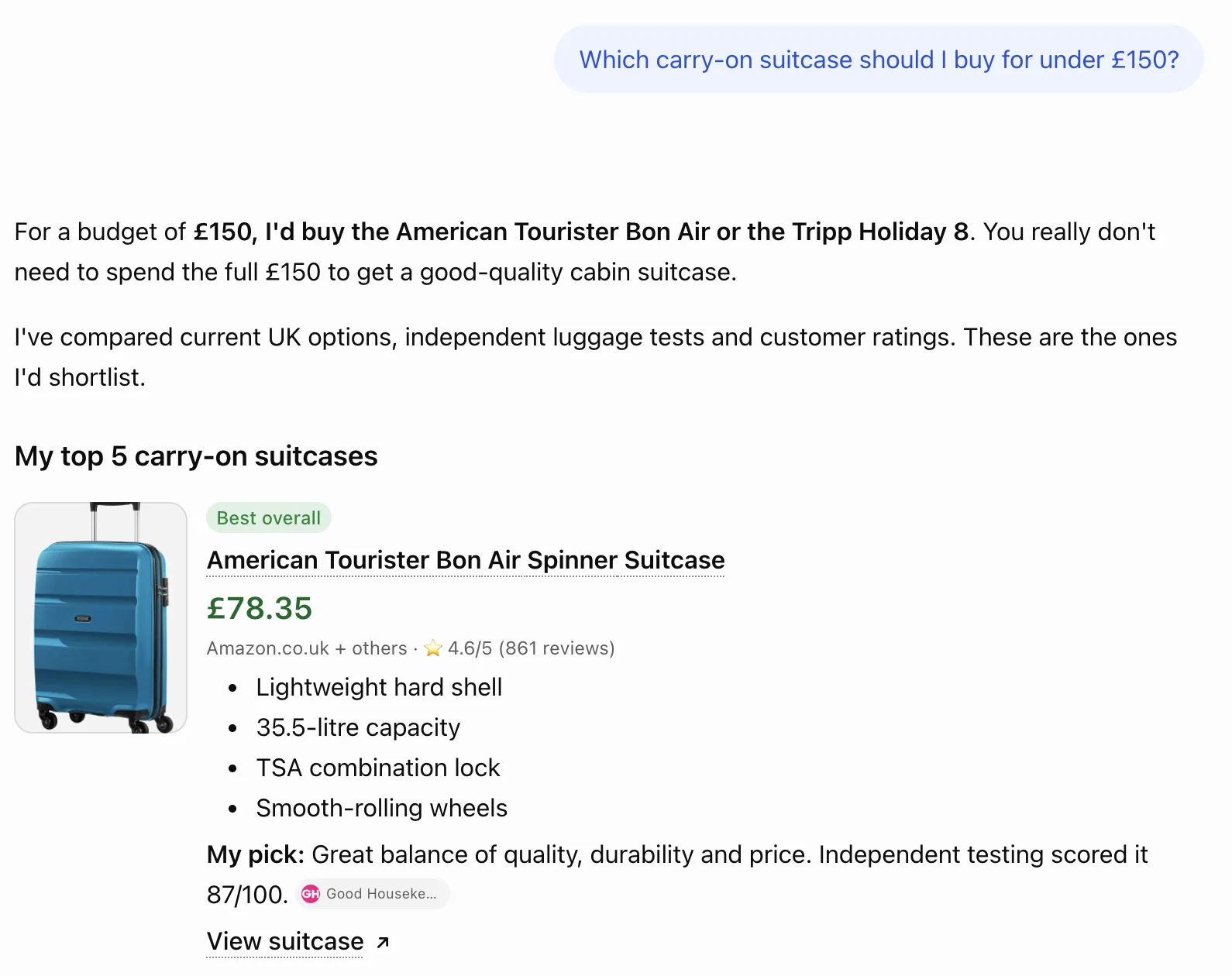
Each assistant gets that data from somewhere. Some take a feed from you, some read the one you already send Google or Microsoft, and the rest read the open web.
Which assistants take a product feed
Status as of 21 November 2026. Each assistant links to its full guide, and each spec to the channel's own document.
| Assistant | The spec you build to | How you get in | Where it's open |
|---|---|---|---|
| ChatGPT | OpenAI product feed spec2 | OpenAI's merchant form, with a waitlist; Shopify and Etsy shops are already in1 | Shopping is live for US users1 |
| Google AI Mode and Gemini | Google product data spec plus the optional conversational attributes34 | The Merchant Center feed you already send; the Buy button needs an interest form5 | Feed: wherever Merchant Center runs. Buy button: select merchants, for products eligible in the US, Canada and Australia5 |
| Microsoft Copilot | Microsoft Merchant Center product attributes6 | Upload a feed or import your Google one; Shopify shops are enrolled78 | Copilot Checkout: English-language merchants selling to US buyers7 |
| Amazon | Google's product data format, through Amazon's API9 | Shop Direct Merchant Workspace, directly or through a listed provider10 | US shoppers10 |
| Perplexity | No public Perplexity spec; PayPal Store Sync says a Google Shopping file works well12 | The Perplexity Merchant Program interest form11 | US first11 |
| Meta Muse | Meta catalogue spec, which now has agentic commerce attributes13 | Your Commerce Manager catalogue; Shopify shops are shared by default; large retailers through Meta's connectors1415 | US, Canada, Japan, Singapore and Australia1516 |
Our field-by-field spec guides cover Google, Microsoft, ChatGPT and Meta. Countries move every month, and AI shopping by country has the full list.
Where to start
Start with Google. One Merchant Center feed reaches AI Mode and Gemini, and Microsoft will import it for Copilot38. In our experience most of what ChatGPT, Amazon and Perplexity ask for is already in it, under different names.
On Shopify, the one-click route is already running. Shopify Catalog sends your products to ChatGPT, AI Mode, Gemini, Copilot and Meta through what Shopify calls agentic storefronts, and it's on by default for eligible stores17. That gets you in, as it gets every other Shopify store in.
It sends your data as it sits, so if your materials, fits and use cases live in descriptions and tags, the assistants get a paragraph where they wanted fields.
- Clean up the Merchant Center feed: clear the disapprovals, then fill colour, size, material, age group and product type on every variant.
- Add the optional fields Google reads for AI answers: product highlights, product details and the conversational attributes.
- Import that feed into Microsoft Merchant Center. The store domain has to match in both8.
- Build the ChatGPT file. It has its own format and its own required fields, mapped one by one in the ChatGPT guide.
- Fill in Perplexity's merchant form, with a Google-format feed ready to hand over.
What's in the feed decides how often you're shown
Google AI Mode, Gemini and Copilot read the Merchant Center feeds you already send Google and Microsoft37. Getting in is the easy part; what they find when they look is the rest.
A runner asking for a waterproof trail shoe with a wide fit is asking a specific question. The assistant answers with products whose data says waterproof, trail and wide. A feed with title, price and a 300-word description gives it little to match; one with material, use, highlights and details filled gives it a reason.
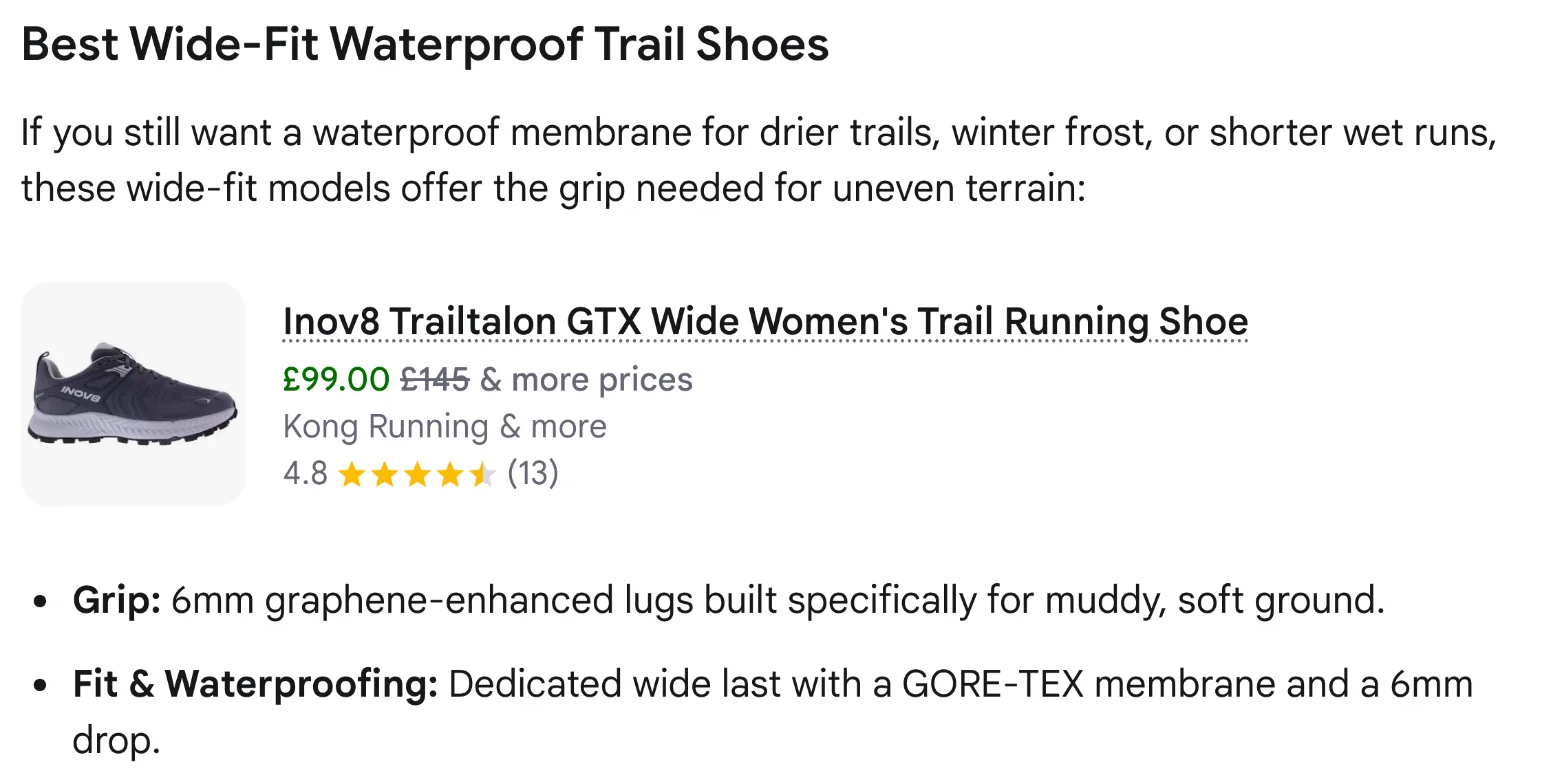
Google added 6 optional conversational attributes for exactly this, from questions and answers to the options that tell variants apart4. Our guide to conversational attributes covers each one.
When there's no feed to read, an assistant falls back on whatever the web says.
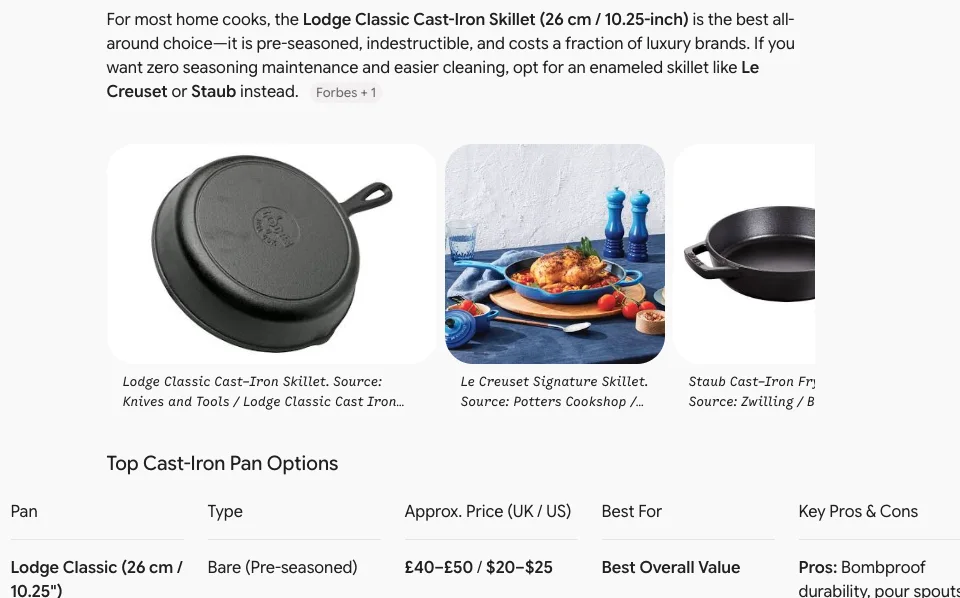
How each assistant gets its products
ChatGPT
ChatGPT has a feed spec of its own: JSONL, CSV or TSV, sent as a full snapshot each time226. OpenAI's merchant page still takes applications on a form with a waitlist, while its developer docs describe self-serve onboarding in Business Hub, so try Business Hub first126. Since OpenAI dropped Instant Checkout in March 2026, every sale finishes on your own site18.
Google AI Mode and Gemini
The Buy button is extra work: a checkout eligibility attribute in the feed, an accepted interest form and a checkout integration5. Google also says you don't need new machine-readable files or special markup to show up in AI Mode19, so skip the llms.txt for Google.
Microsoft Copilot
Copilot Checkout lets a shopper buy without leaving the chat, and Microsoft asks for a Merchant Center account and a feed with its checkout attributes to use it7.
Perplexity
The way in is the Perplexity Merchant Program, a five-question form; Perplexity says the programme is free and that it contacts you after11. It hasn't published a field list. PayPal merchants can reach Perplexity through PayPal's Store Sync, and PayPal says a Google Shopping CSV works well there12. So the Google feed is the spec to build to.
Meta Muse
Muse is Meta's assistant, and the catalogue in Commerce Manager behind your Facebook and Instagram ads is the feed to work on. Meta's catalogue spec now has an agentic commerce section, with a field for Direct Checkout on Meta13.
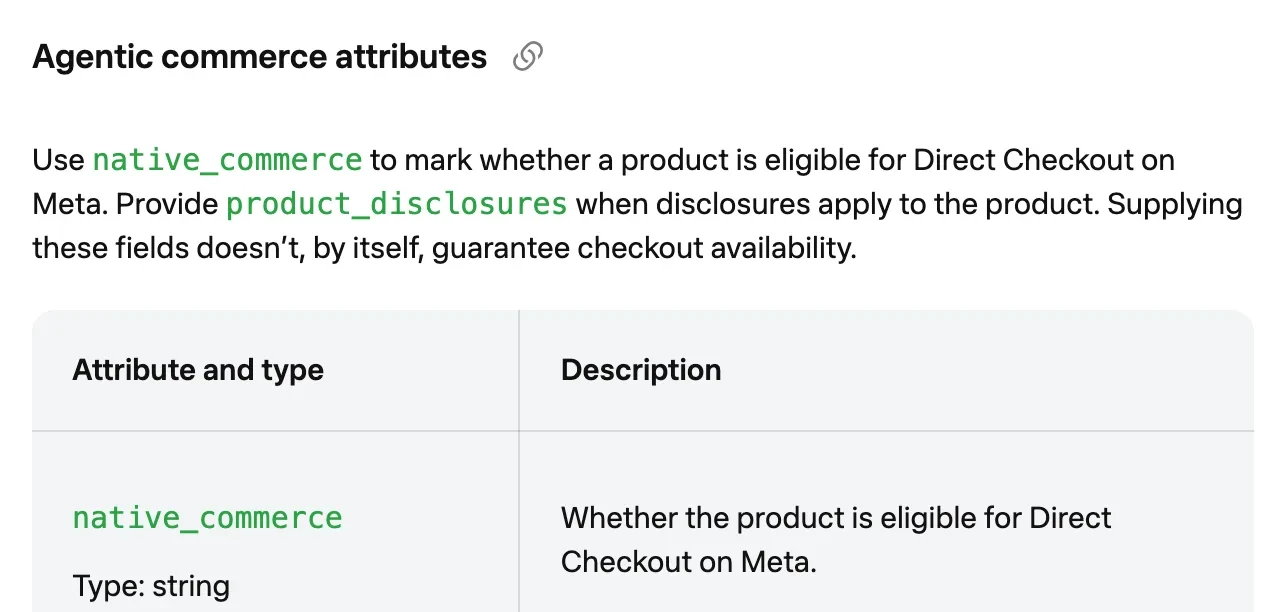
Shopify shops were shared with Meta by default from 8 September 202614, and large retailers such as Loblaw bring their catalogues in through connectors Meta builds with them15. A test reported in trade press suggests Muse pulls candidates from Meta's catalogue as well as searching the open web20.
Assistants with no feed of their own
Pinterest has no separate AI feed; the catalogue you send for Pinterest shopping is the route21. Claude has no merchant programme, and products reach it through the open web22. We found no merchant programme for Grok or for Apple on 21 November 2026.
Every assistant on this page also reads the web, so a blocked page is a missing product.
Check robots.txt and your bot protection for OAI-SearchBot, Googlebot, PerplexityBot and Bingbot192324.
Then make the page and the feed agree on price, because Google may disapprove a product when they don't25.
If you send products to several assistants
Each assistant wants its own file and reads its own fields, and the store's own connectors send the same thin data to all of them.
FeedWorks keeps one catalogue and builds the Merchant Center feed, the Microsoft feed, the ChatGPT file, the Meta catalogue and a Google-format file for Perplexity from it. It pulls attributes out of your descriptions, tags and collections into the fields each channel reads, required and optional, and keeps doing it for new products.
You see each product's gaps against each channel before you submit, Aurora drafts the fixes for you to approve, and recurring tasks keep checking new products on a schedule. FeedWorks doesn't send to Amazon, and the programmes still decide what they show.