The local inventory feed: telling Google what's on your shelves
A local inventory feed is a second, small file that says which products are in which store, at what price and how many. Google joins it to your main product feed on the product id and to your Business Profile on the store code, and uses it for free local listings and local inventory ads.
Last verified 21 November 2026. A seven minute read.
What a local inventory feed does
Search Google Shopping for a kettle "in stock near me" and most results carry an "In shop" badge. Each badge is a promise that a store has the product, made store by store in the retailer's local inventory data1.
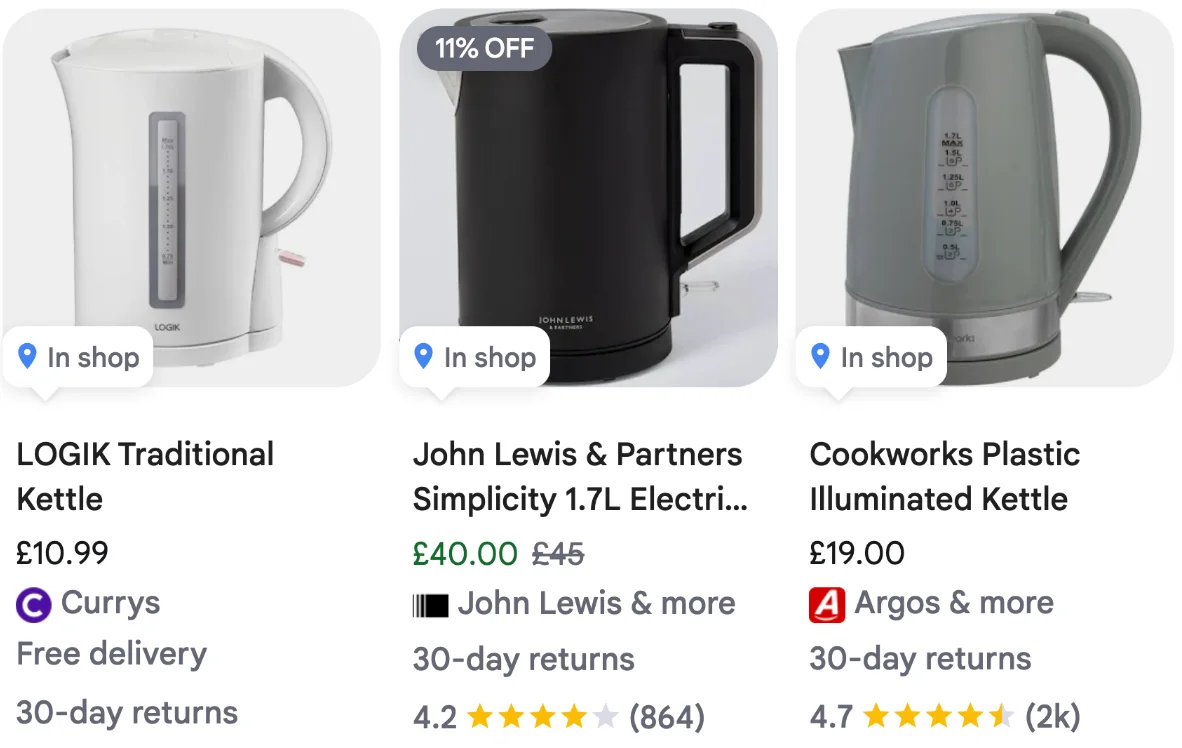
That data feeds two Google programmes2:
- Free local listings, which show your in-store products across Google at no cost.
- Local inventory ads, the paid version, which promote in-store products to shoppers nearby.
As of November 2026 Google lists 93 countries and regions for local inventory ads and 47 for free local listings, including the US, the UK, Canada, Australia and much of Europe2. Selling online only? Then neither is for you, and Google's local listings policy says to switch them off under Settings, then Add-ons6.
How it differs from your product feed
Your main product feed describes the product once. The local inventory feed describes it once per store, and carries almost nothing else.
| Product feed | Local inventory feed | |
|---|---|---|
| One row per | Product (variant) | Product, per store |
| Describes | Title, images, brand, GTIN, online price | Stock, store price, pickup |
| Joined on | id |
id plus store_code |
| Changes | When the catalogue does | Every day, at least |
The id in both files has to match exactly1.
A store row for an id Google can't find in the product feed is a row for nothing.
The store code is the whole join
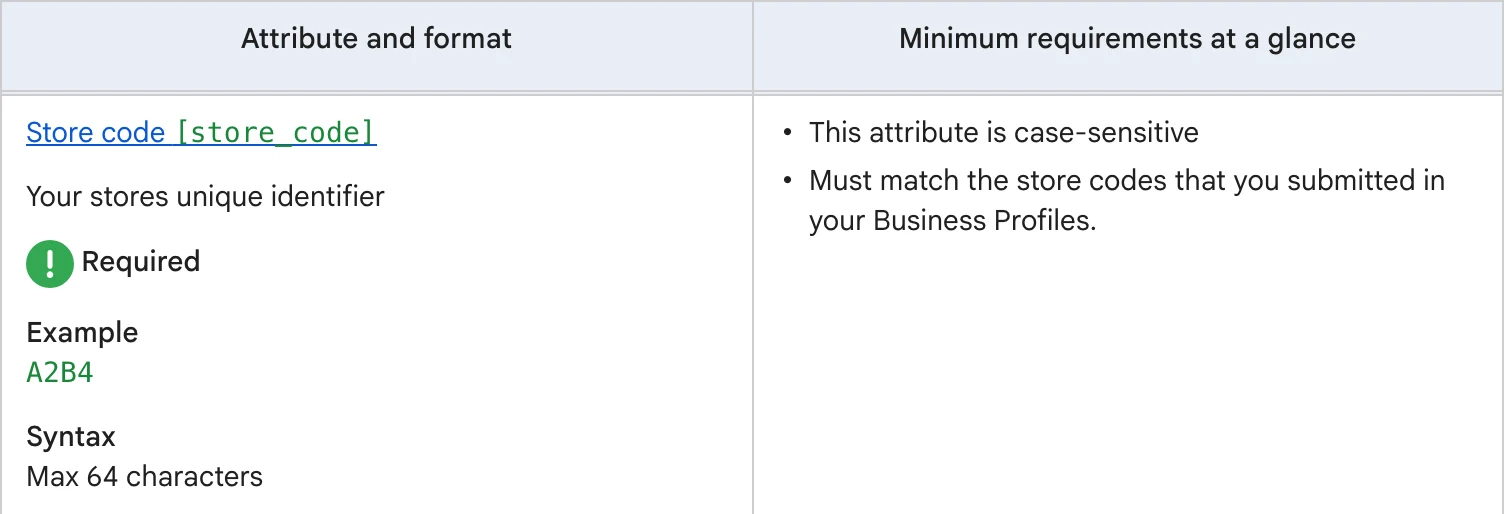
store_code is how Google knows which shop a row is about.
It has to match the store code in your Google Business Profile, character for character, and it's case-sensitive13.
Get it wrong and Merchant Center reports missing inventory data3.
leeds-01 in the feed and LEEDS-01 in Business Profile are two different stores to Google, and every product at that branch goes missing.
So link the accounts before you send a single row. In Merchant Center that's Settings, then Access and services, then Apps and services, where you add Google Business Profile as a service and pick your stores4. You need super admin access to do it, and one Merchant Center account takes up to 200 Business Profiles4.
Then wait. Google says business locations can take up to 24 hours to sync, and recommends uploading inventory 24 hours after linking, or after changing a store code1. Copy the codes out of Business Profile rather than typing them from memory.
The fields, with Google's names
These are the 8 fields we'd fill; Google's spec has the rest1.
| Field | Google says | What goes in it |
|---|---|---|
store_code |
Required | The Business Profile store code, exactly |
id |
Required | The same id as in your product feed |
availability |
Required | in_stock, limited_availability, on_display_to_order or out_of_stock |
quantity |
Optional | Units in that store |
price |
Optional | Only where the store price differs from the feed, such as 15.00 USD |
sale_price |
Optional | A store sale, with price kept at the full price |
pickup_sla |
Required for pickup | How soon it can be collected |
pickup_method |
Optional | buy, reserve, ship to store or not supported |
The spec marks quantity and price optional1.
The policy page names both, beside the required three, among the attributes a local data source needs6.
We'd send them anyway.
Quantity also settles arguments: when you send both, Google uses whichever is lower, and it counts 3 or more as in stock, 1 or 2 as limited and 0 as out of stock1.
Price follows the online rules: no tax in the US and Canada, VAT or GST included everywhere else1.
Any fee charged at checkout belongs in the price, and member-only prices go in the loyalty attribute, not price6.
How often it has to update
Daily, at the least. Google's upload guide says local inventory should be refreshed every day, and the verification page asks for at least once a day57. A file you host at a URL is fetched every 24 hours, and Google allows 24 to 48 hours to process changes56.
That's slow for a shop that sells out of something by lunchtime. If your stock system can do it, send changes through the Merchant API, which Google says suits frequent updates5. A product shown as in stock that isn't on the shelf is the mismatch inventory verification looks for7.
Verification and the product page
Google wants a page to send the shopper to, and gives you three kinds8:
- Your own product pages that show in-store availability.
- Store-specific pages that show availability and price per store, with
{store_code}in thelink_template. - A page Google hosts for you, for sites that don't show store stock at all.
Option 3 needs inventory verification78. Someone visits the store with a form of 100 products from your feed, records price and availability, and photographs some price tags7.
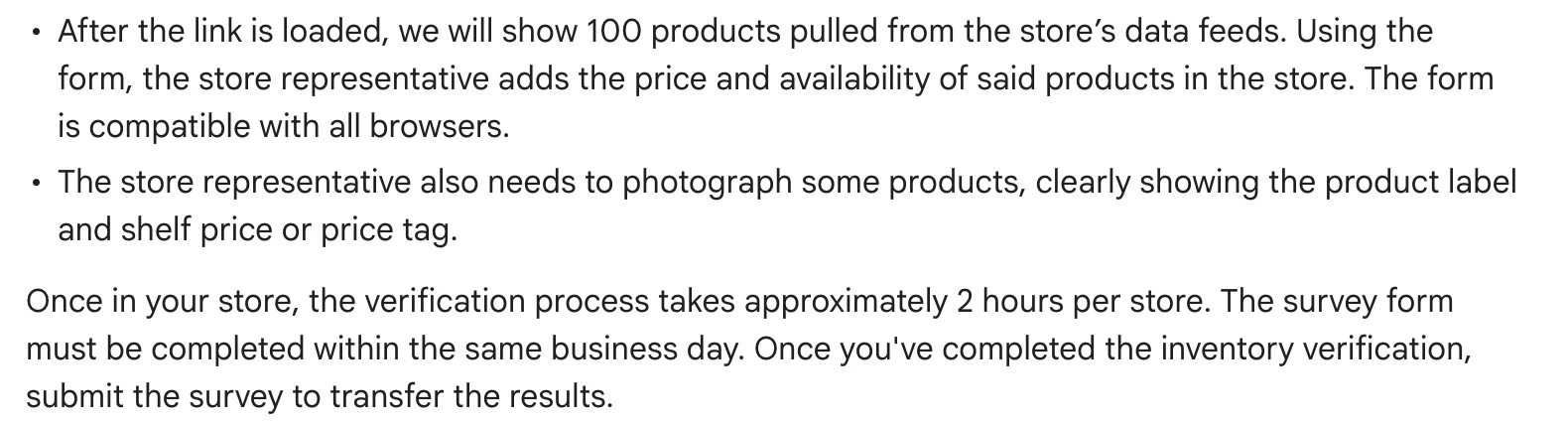
Review then takes up to 7 business days7. Fail it and the status reads Ineligible, and Google may ask for more verifications next time7. On options 1 and 2 Google says verification isn't required, though it may still re-check you after launch7.
We couldn't find an "about page" requirement in Google's current local inventory pages, and we looked. The one extra page Google names is an Impressum, for stores in Germany, Austria and Switzerland28.
Pickup today and pickup later
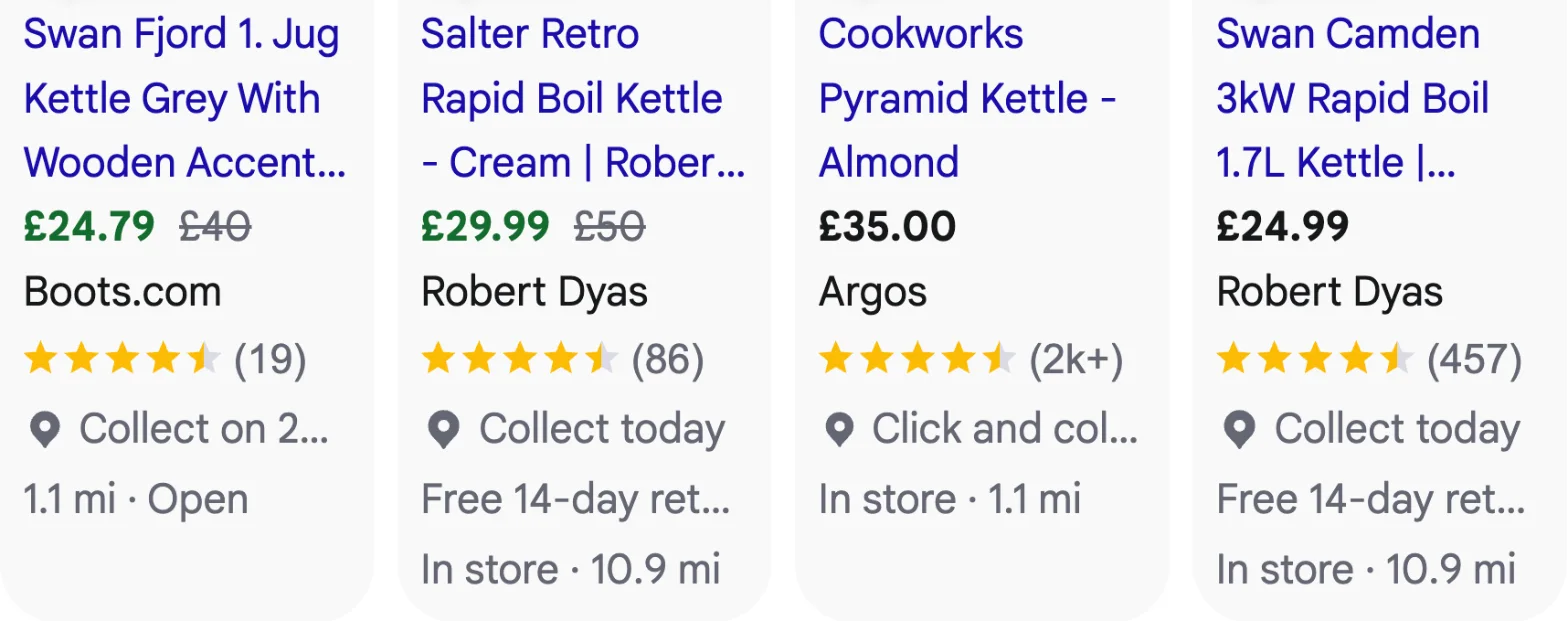
If your stores can hand an order over the same day, we'd set up pickup today before anything else on this page.
Google's ads help calls the label pickup today9; on the UK kettles earlier in this guide it reads "Collect today".
Every product you opt in must be ready the same day or the next, with pickup_sla set to same_day or next_day10.
Your site must let the shopper buy or reserve for pickup, and send a confirmation when the order is ready10.
Google checks an example product URL you give it, which can take up to a week10.
Pickup later covers stock that isn't in the store yet but can be sent there, using ship to store and a longer pickup_sla15.
From 30 September 2026, UK, EU and EFTA retailers that charge for pickup online must send pickup_cost, or those products can be disapproved1.
What gets local listings disapproved
These are the causes Google names367, and we'd check them in this order:
- A store code that doesn't match Business Profile, or a Business Profile that's unclaimed or disabled.
- An
idthat isn't in the product feed, which shows as missing inventory data. - No physical stores in the countries you sell to.
- Availability that disagrees with your product page or its structured data.
- A store page Google's crawler can't reach, or a
link_templatewithout{store_code}. - Store prices that don't match the shelf.
- Customer names, emails or loyalty card numbers left in the file.
Fix them in the data source in bulk, not product by product3.
What the Shopify route covers
If you sell through Shopify, Google's help describes setting up local inventory in the Google & YouTube app12. It needs Shopify point of sale inventory, more than 10 approved products, a verified Business Profile and a physical store12. When those are in place, it's the quickest way in, and you should use it.
What it can't do is see stock that doesn't live in Shopify's point of sale, such as a warehouse or stock system. Google's page doesn't say how often it syncs12. And it sends the store's data as it sits, the same way it does for every other retailer on Shopify.
What to do this week
- Link every store's Business Profile in Merchant Center, and copy the store codes into a sheet.
- Check each code against your stock system, character for character.
- Build the file:
store_code,id,availability,quantity, andpricewhere a store differs. - Host it at a URL that refreshes daily, or plan a Merchant API feed if stock moves faster.
- Decide your product page option before you ask for verification.
- One store and sell online? Google can show your stock automatically from your Business Profile and website, with no local feed at all11. Check that first.
When store stock moves faster than a daily file
If your stores sell faster than a daily file can keep up with, the feed is wrong for most of the day. FeedWorks keeps stock by store as its own source, next to your catalogue, and sends local inventory to Merchant Center by API.
It refreshes as often as hourly, and your own systems can push stock changes in through its API as they happen. A faster price and stock source sits over a slower catalogue source, so the store data stays current without rebuilding the whole feed.