One catalogue, many countries: multi-market feeds for Google Shopping
Google lets one feed show in extra countries and converts your price into each shopper's currency, which is fine when the language, the price and the page are the same everywhere. Once a market has its own prices, its own language or its own pages, give it its own feed, priced in that market's currency and linking to a page whose price and schema.org markup say the same.
Last verified 21 November 2026. A six minute read.
One feed or one per market
Google gives you two ways to sell a catalogue abroad. You can add countries to a feed you already have, and Google converts your price into the shopper's currency12. Or you can send a separate feed for each country and language, priced in that country's own currency3.
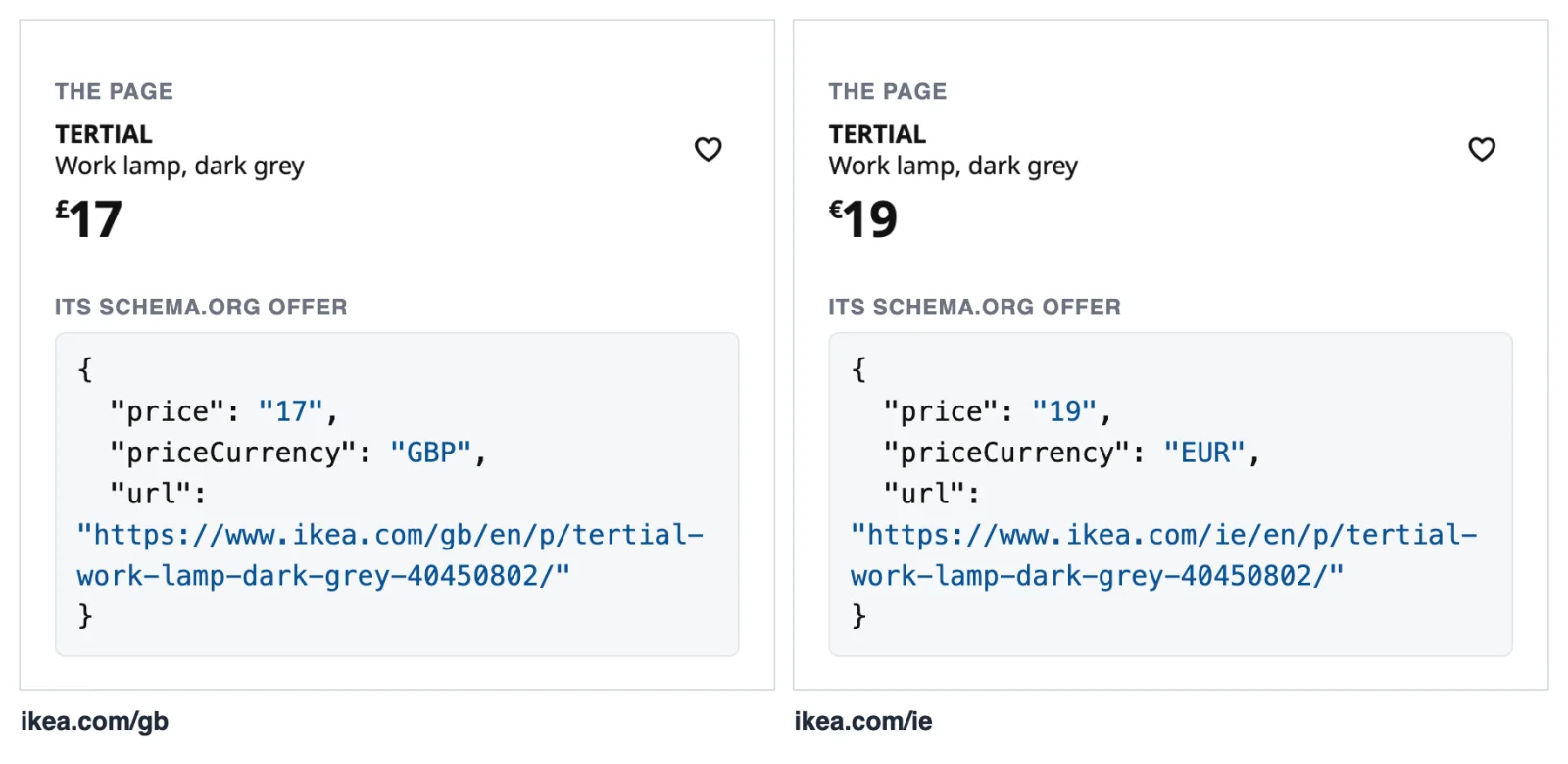
The first is a settings change. The second takes work, and it's the one that holds up once a market has prices of its own, because a converted price is only an estimate. IKEA sells the same work lamp, article 40450802, for £17 in the UK and €19 in Ireland, on two URLs.
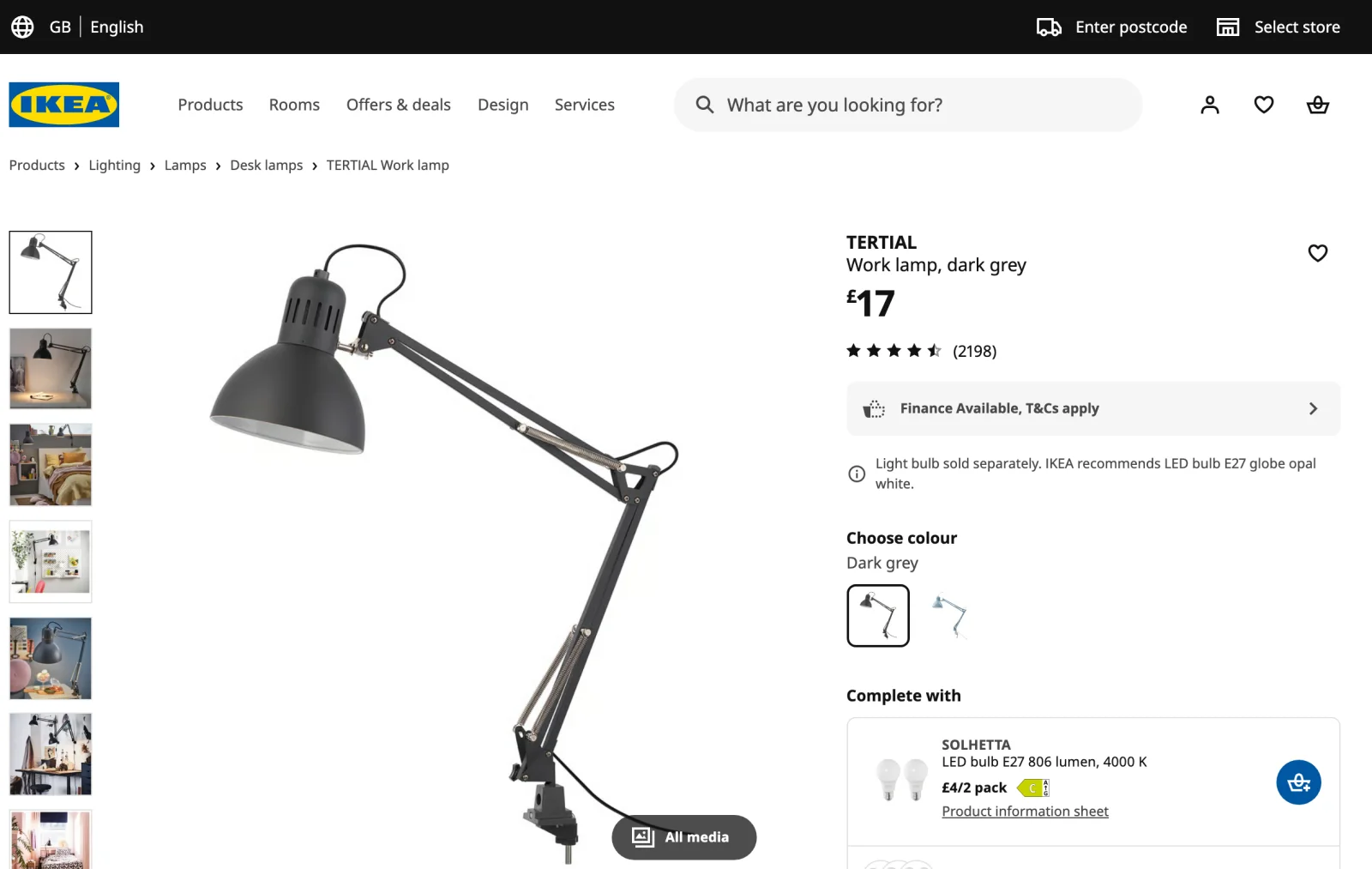
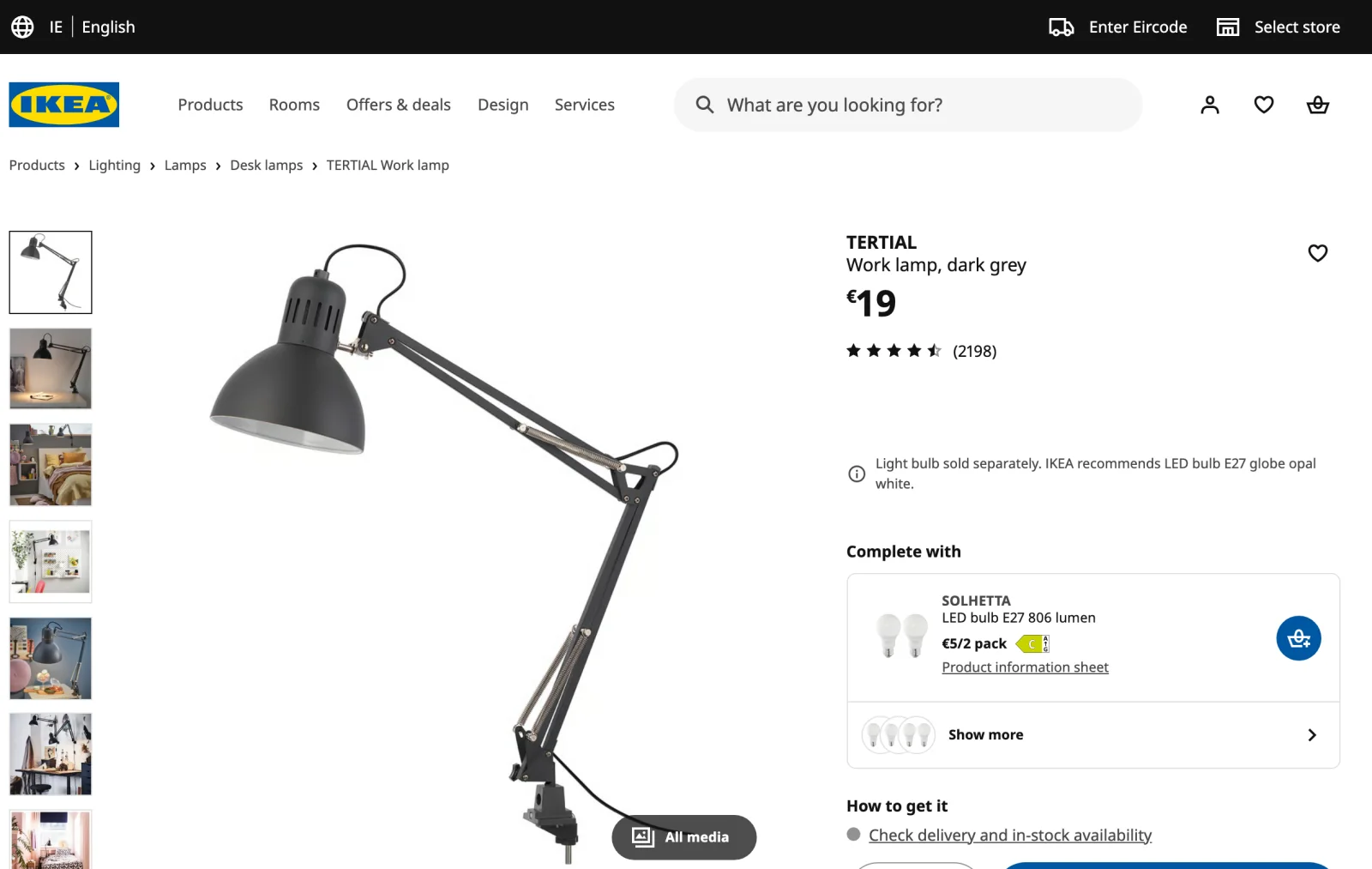
A single UK feed converted for Ireland would show an estimate of £17 in euros, while the Irish page says €19. Our view, as a rule of thumb:
| Your situation | What to send |
|---|---|
| Same language, same currency (Germany and Austria) | One feed, add the country1 |
| Same language, one price everywhere, no local currency on your site | One feed, add the country, let Google convert12 |
| You charge a different price or currency in that country | A feed for that market, in its currency |
| Your titles and descriptions are translated for that country | A feed for that language13 |
| You want to bid, test or report on that country on its own | A feed for that market, with its own feed label4 |
What Google does with your currency
Currency conversion is switched on in every Merchant Center account2. Google converts the price in your feed with Google Finance rates and shows both prices in Shopping ads, dynamic remarketing and free listings, and as of November 2026 it isn't available in South Korea2.
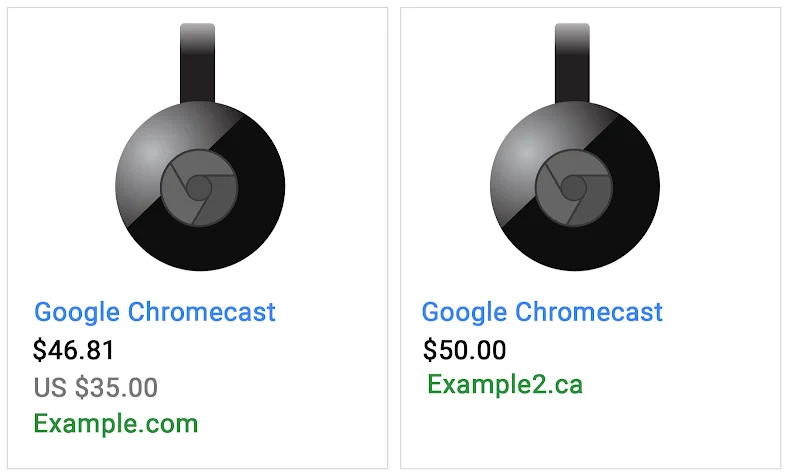
It comes with strings. Your pages must show the price in the original currency, the shopper's card company sets the rate they actually pay, and you follow the price and tax rules of the country whose currency is in your feed2.
Don't rely on it when your store already charges local prices, when you set price points by hand (49 euros, not whatever 42 pounds works out to that day), or when the target country quotes tax differently, which brings a "+tax" note3.
Language of titles and descriptions
Every data source in Merchant Center has a language, and Google's language rules say titles, descriptions and the parts of the page a shopper needs to buy should be in it5. If most of the product data doesn't match, Google may disapprove the products5. So a market whose primary language differs needs its own translated data source1.
Shopify merchants, check one thing before you translate. As of November 2026, Shopify's Google & YouTube requirements say product options, including variants, have to be in English to sync10.
The page, its markup and the feed must agree
Google checks the page a product links to against the feed, currency and price included5, and mismatched value (price) is the fastest way to lose a market. A page that swaps its language or currency by the visitor's location breaks Google's rule outright3.
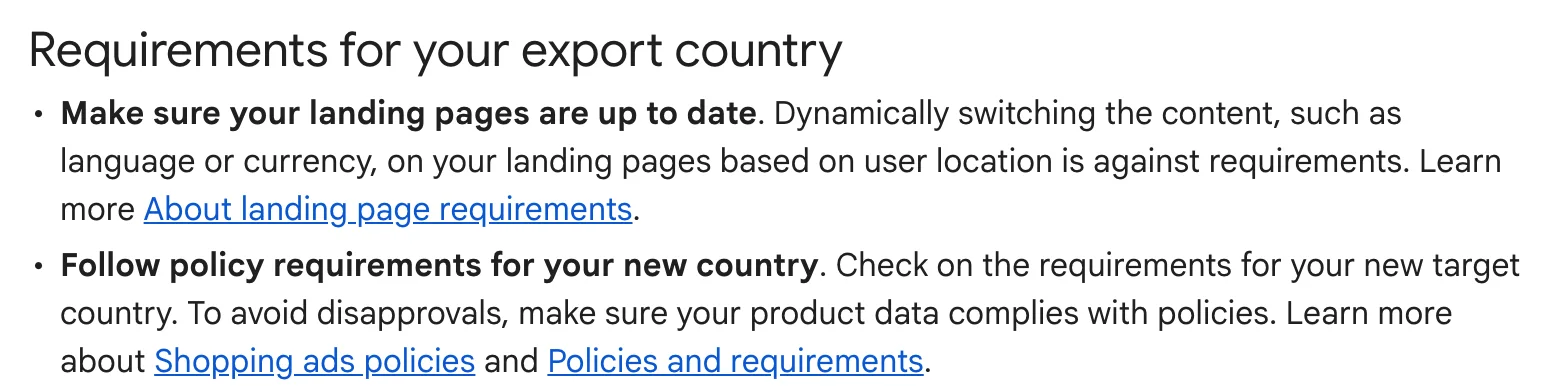
The page carries a third copy of the price: its schema.org Offer markup.
Google's merchant listing structured data requires price and priceCurrency in each Offer, and wants a distinct URL per currency11.
So each market's URL needs its own markup, in its own currency, matching that market's feed.
IKEA does exactly this:
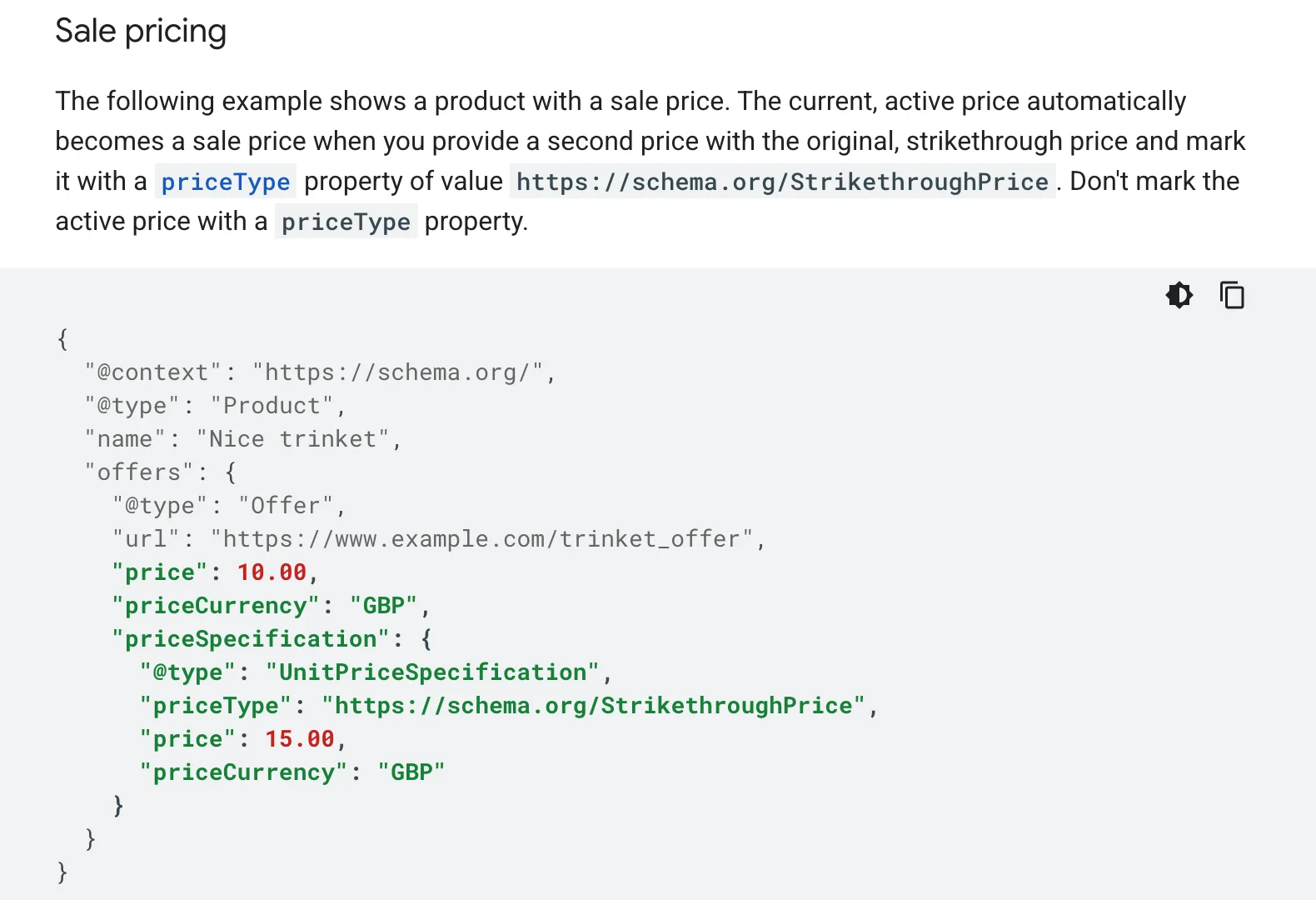
Sale prices follow the same rule.
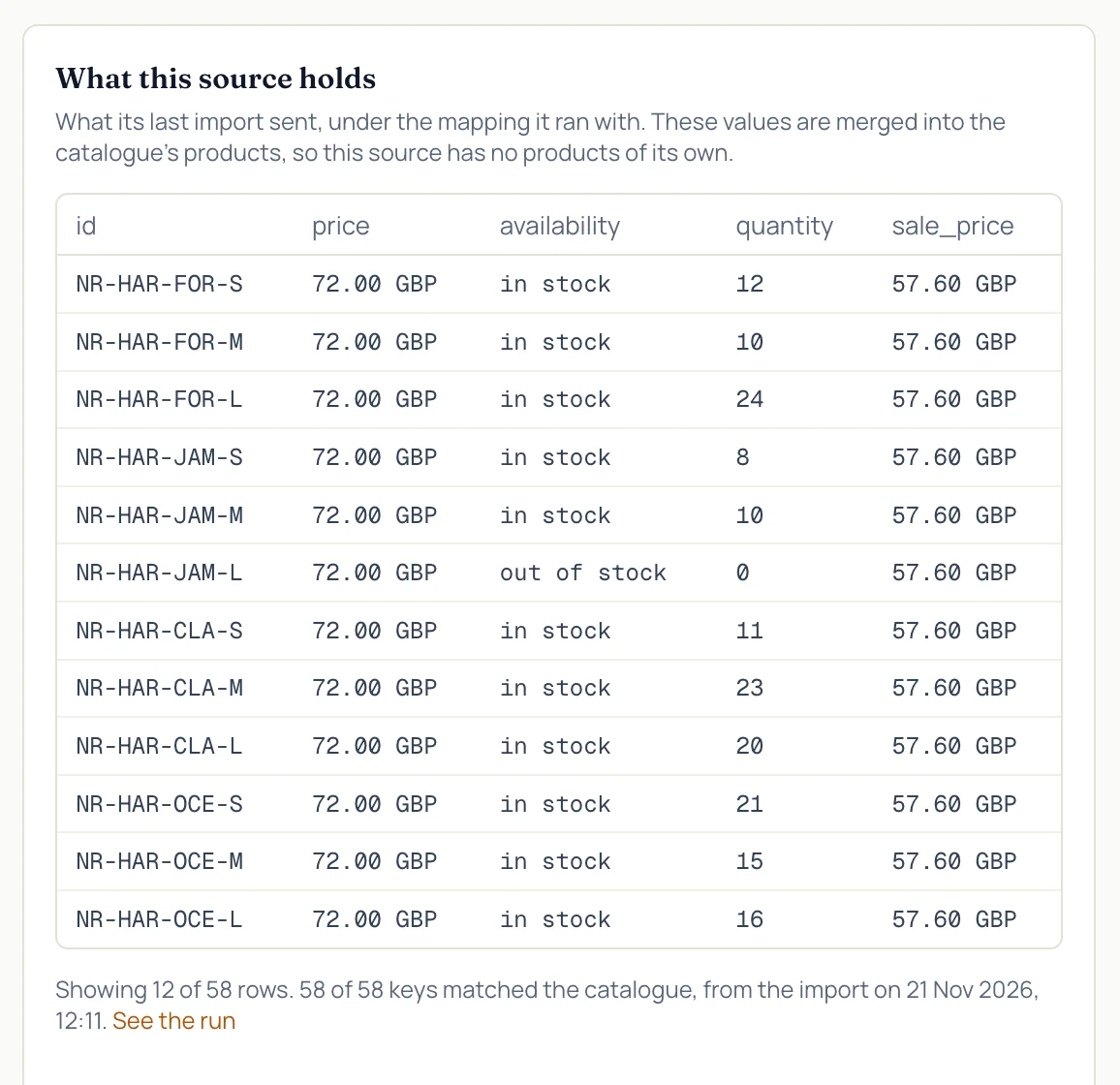
The active price is the sale price, and the old price goes in a second price with priceType set to StrikethroughPrice, both in the market's currency1119.
When a market runs its own sale, its feed's sale_price, its page and its markup all change together, or not at all.
Shipping, tax and campaigns per country
A feed that reaches a new country still needs these, country by country:
- Shipping, in the same currency as the price. A US dollar offer needs a US dollar shipping service3.
- Tax. Abroad, Google allows only value-added tax, and where that country's prices include tax, yours must too3.
- Google Ads location targeting that matches the feed's target countries1.
- A feed label per market. A campaign picks one label4, so
CA,UKorDElets you run, bid and report on each market alone.
Where each platform keeps its market prices
Your feed can only send the price your platform holds for that market. This is where each one keeps it, as of November 2026.
Shopify
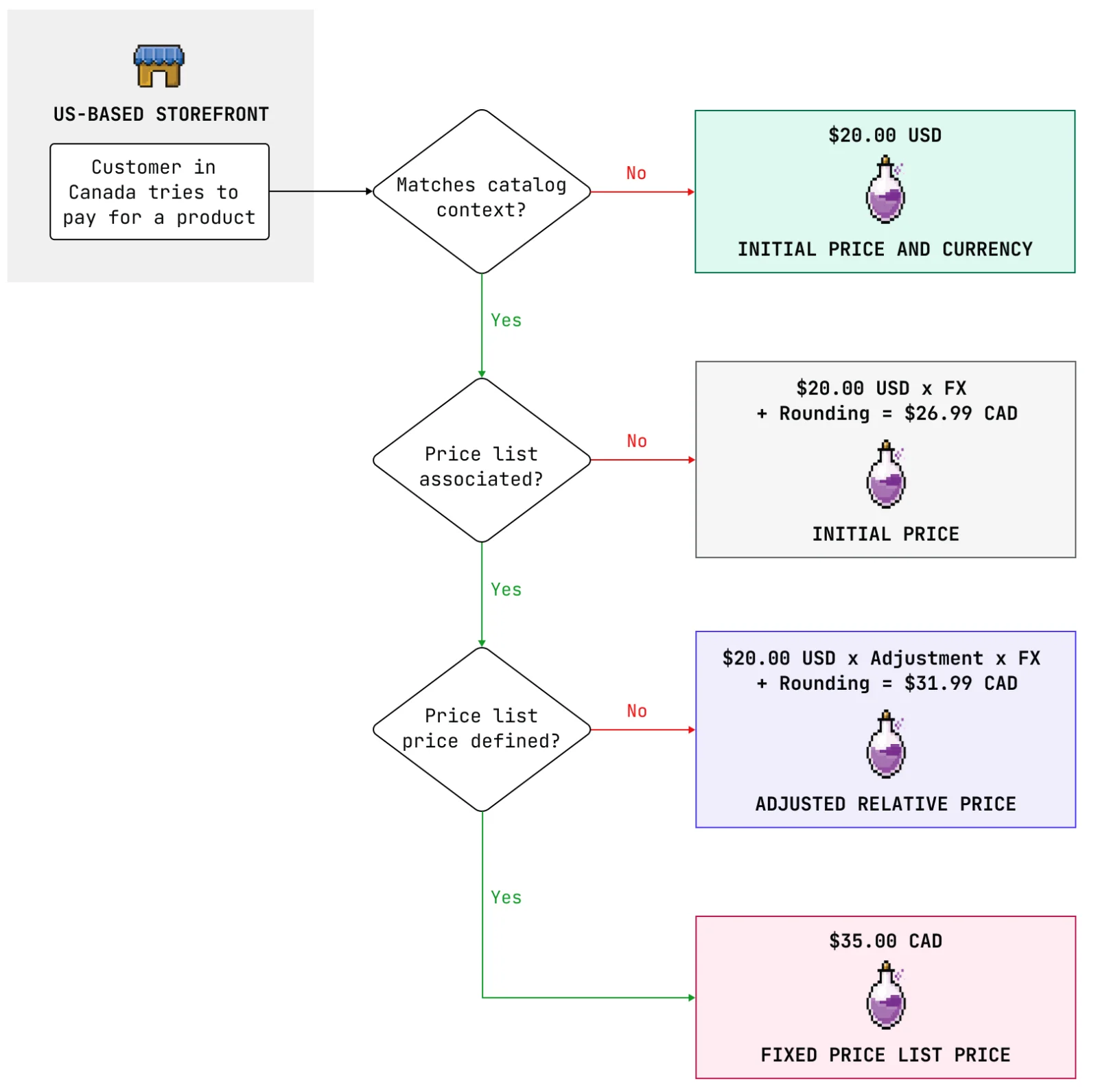
Prices per country live in Markets. Each market gets a catalog, which adjusts prices by a percentage or sets fixed prices and compare-at prices per product9, and a fixed price beats the adjustment20. A single-country market uses that country's currency; a multi-country market defaults each country to its local currency8. Since June 2026 a market can also be a sales channel, with its own prices and currency12. The Google & YouTube channel syncs the Markets countries and languages you pick6. It sends the same titles and attributes for every market, the way every other Shopify store sends them.
Magento
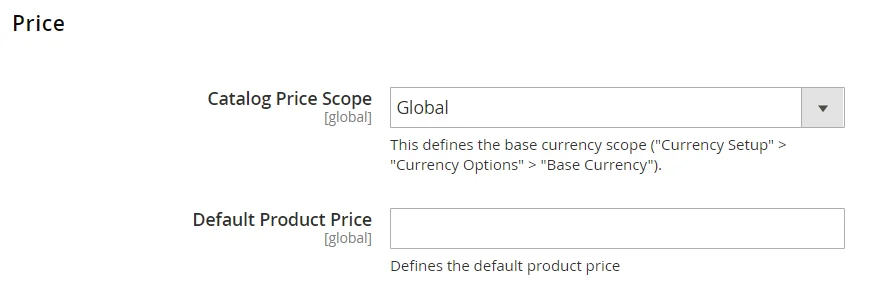
In Magento (Adobe Commerce), Catalog Price Scope makes prices global or per website, and each website can have its own base currency7. Each store view then sets a display currency, which needs current rates before it takes effect7. Send each store view the price it shows, in its currency, with its own URLs.
BigCommerce
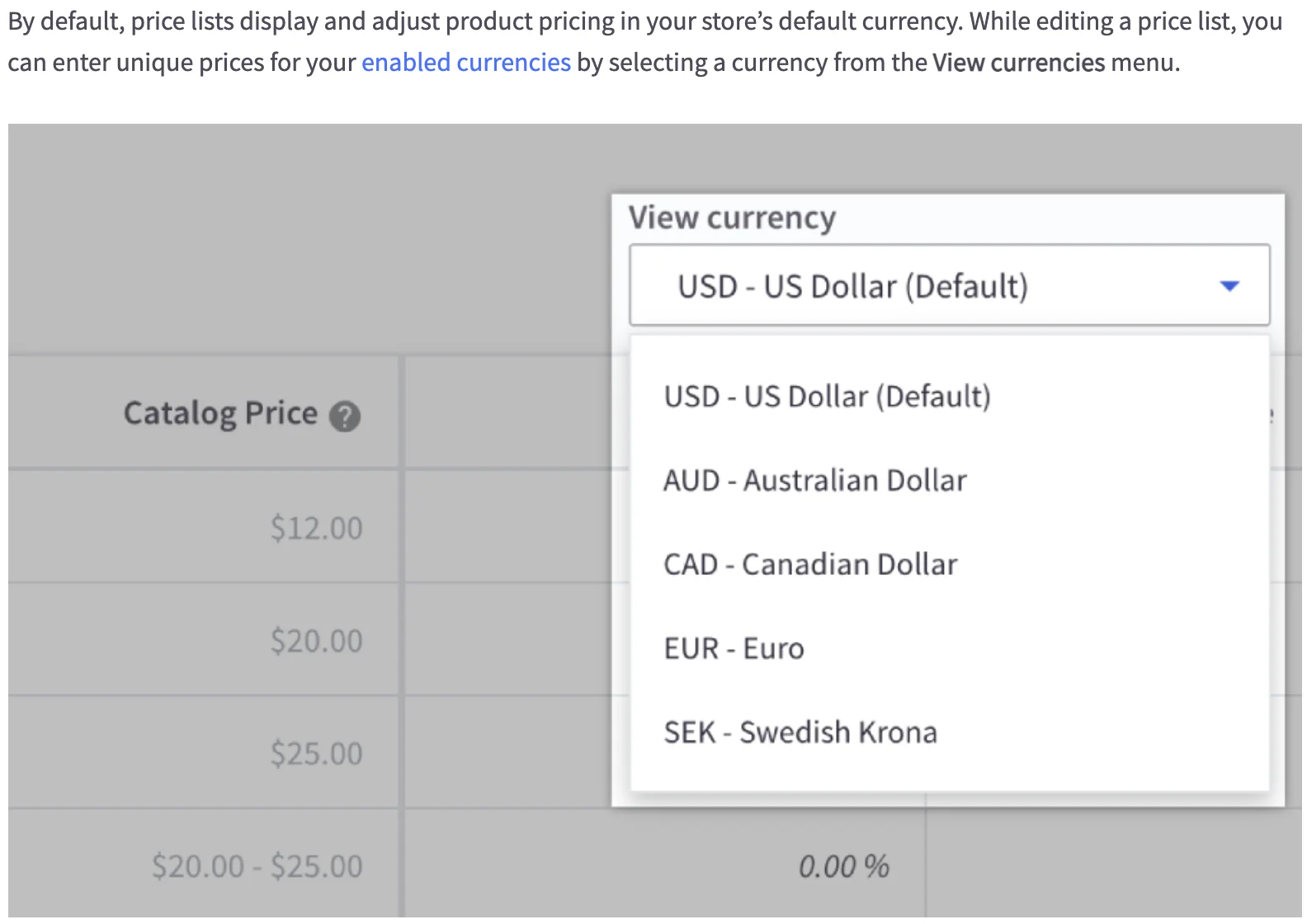
Price lists override the catalogue price per storefront and customer group, and take a separate price for each transactional currency13. A display currency is converted from the default price list instead13. One catalogue, a price list per storefront, a feed per storefront.
WooCommerce
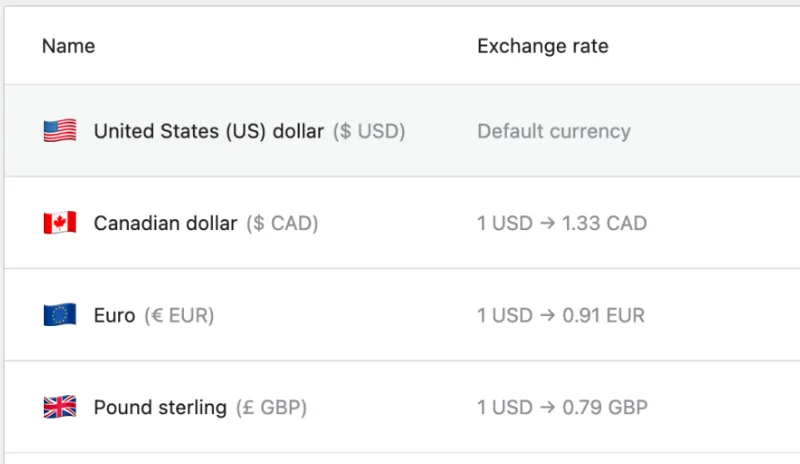
WooCommerce has one store currency. WooPayments' multi-currency shows prices in others, converted with fetched or manual exchange rates and rounding, and can switch shoppers to their local currency by location14. That switch happens on the same URL, which is the pattern Google's landing page rule forbids3. We found no per-product local price setting in that documentation on 21 November 2026.
PrestaShop
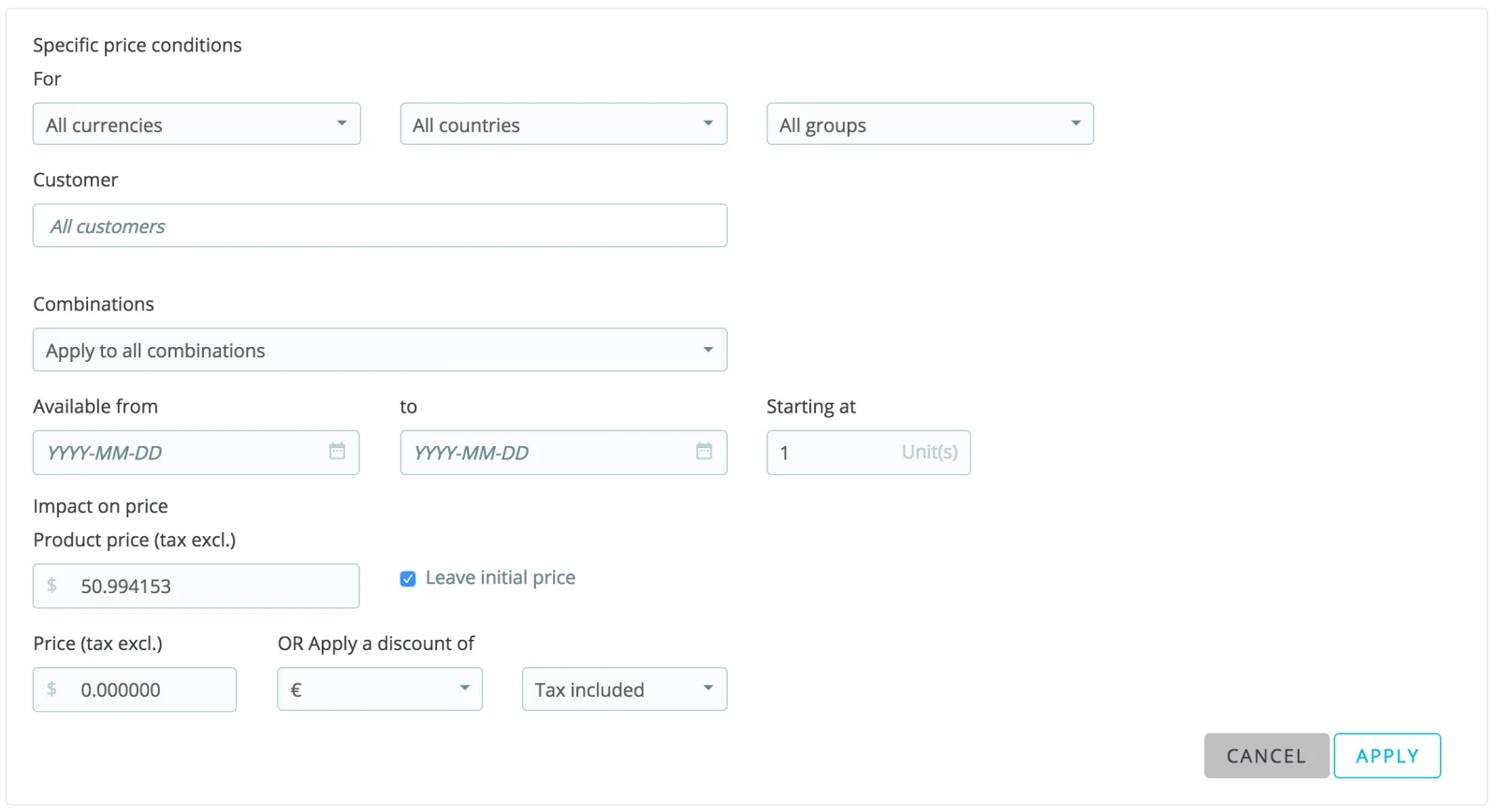
PrestaShop sets local prices as specific prices on a product, by country, currency or customer group15. Catalog price rules do the same for whole ranges16. A market's feed has to apply the specific price that market's shopper would get, not the base price21.
Salesforce Commerce Cloud
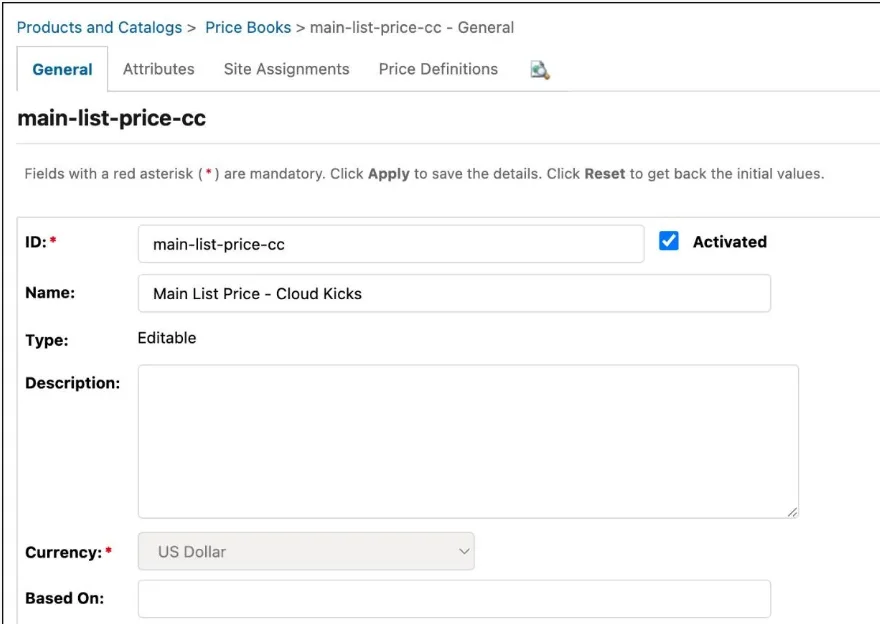
In Salesforce Commerce Cloud, B2C Commerce keeps prices in price books, each in one currency and assigned to sites1718. Each site's feed reads the price books assigned to it, in that site's currency.
Custom site
On a custom build, the price per market lives wherever your developers put it: an ERP, a PIM, a pricing table. Find the one source that renders each market's page and make the feed read that, not a copy. Then check each market URL carries its own Offer, as Google asks11.

When one catalogue has to become 14 feeds
Market feeds multiply every chore by the number of markets, and the drift between them is where disapprovals come from. FeedWorks builds a market feed from one base export for each Shopify market or Magento store view, each with its own price, sale price, product link, currency, and for Google its target country and feed label. Products not sold or not priced in a market are left out of that market's feed.
Change a mapping on the base export and push it to every market feed, with any field a market overrides kept. Stores on WooCommerce and BigCommerce import natively too; PrestaShop, Salesforce and custom builds come in as a file or URL feed. One lighting brand we work with, not the retailer pictured above, runs 14 Google market feeds and a Meta catalogue from one product catalogue.
Prices that move faster than the catalogue can come in on their own source, joined to the main catalogue's products by ID.