The Meta catalogue feed, without the guesswork
A Meta catalogue feed is your product list in Meta's format, with 9 required fields per product, loaded into Commerce Manager by scheduled file, partner platform or API. Get the IDs to match your pixel first, then the pictures, because on Meta the image is the ad.
Last verified 21 November 2026. An eight minute read.
The one field that decides whether your ads work
Meta's catalogue is a list of everything you sell, one row per variant. The feed is how that list gets into Commerce Manager and stays current, and Meta's ads build themselves from it: the picture, the title and the price under each product come straight from your rows.
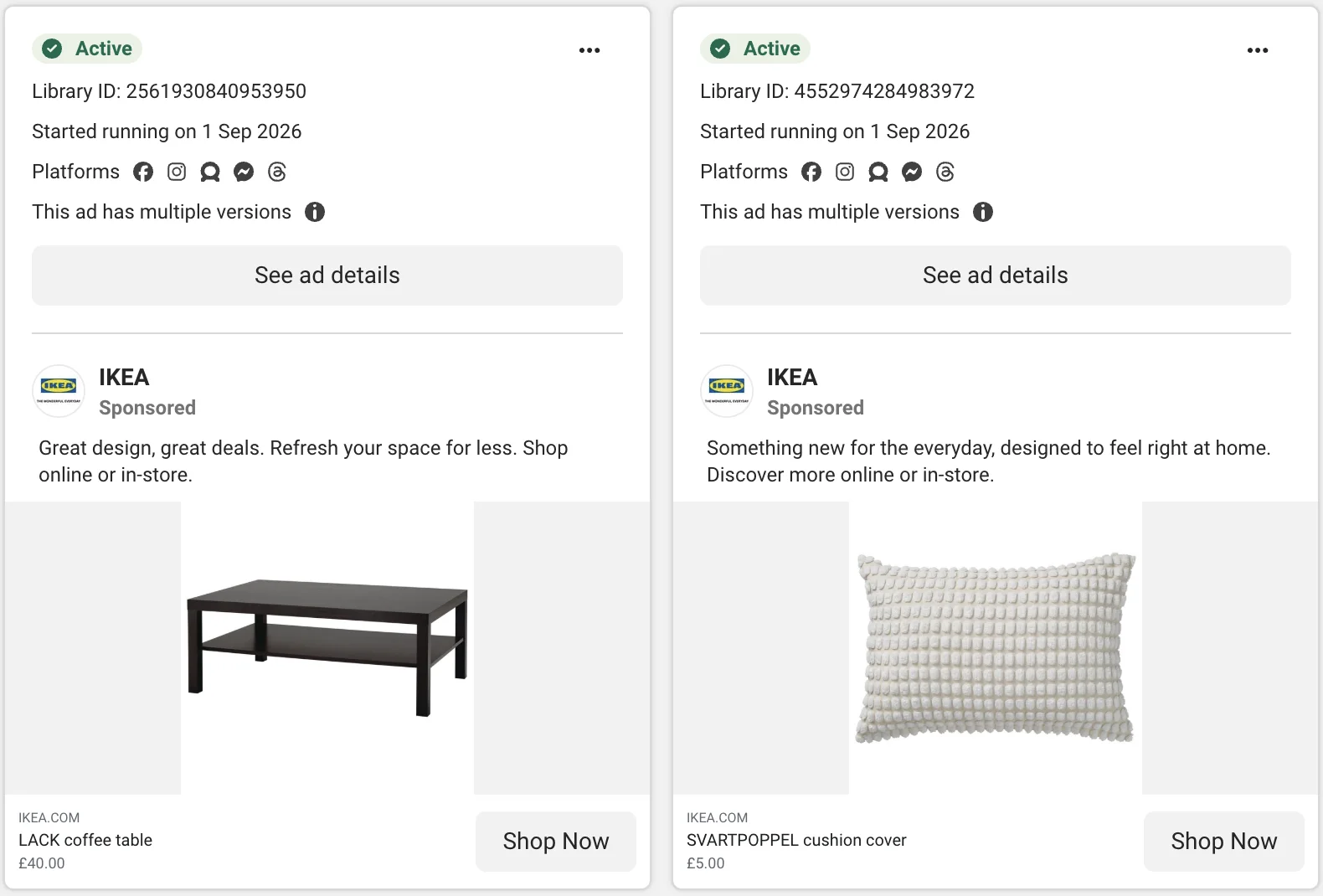
Most guides start with titles and images.
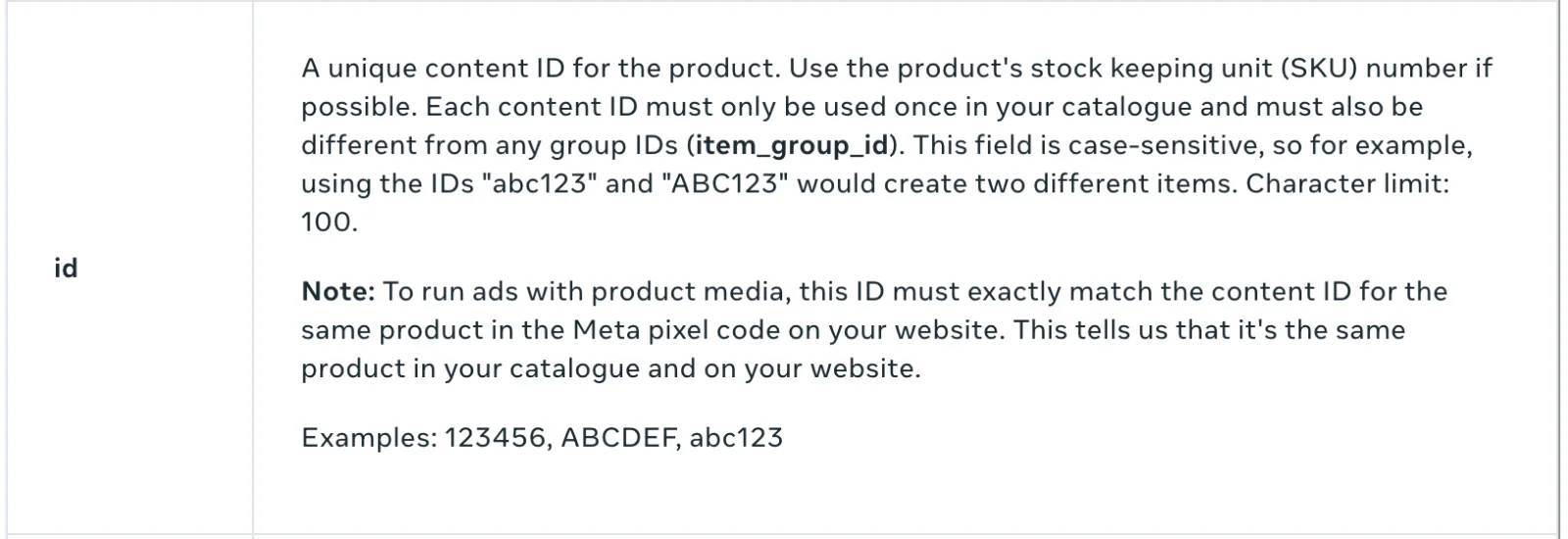
Start with id.
Meta's product data specification says the content ID in your catalogue has to match, exactly, the content ID your Meta pixel sends from the same product page1.
If it doesn't, Meta can't tell that the trainer someone looked at on your site is the trainer in your catalogue, and the ad that should follow them shows something else, or nothing.
What a Meta catalogue is for
As of November 2026 Meta lists the uses itself, in About catalogues2:
- Ads with product media, Meta's new name for what used to be Advantage+ catalogue ads. They pick products for each person using events from your pixel or app34.
- Shops on Facebook and Instagram, product tags, and direct checkout where Meta offers it2.
- AI shopping. Meta says a catalogue can help people discover your products in Muse and Meta AI, which can find and recommend them2. That's covered in the Meta AI shopping guide.
The same feed serves all of them, and Meta asks you to keep it to one catalogue per product type2.
The fields Meta requires
Meta's Business Help Centre lists 9 required fields for products, plus size for clothing and shoes sold in Shops1.
The full field list is in our Meta spec page.
| Field | Required | What Meta wants |
|---|---|---|
id |
Required | Unique, case sensitive, up to 100 characters. Matches the pixel's content ID |
title |
Required | Up to 200 characters; Meta suggests under 65 so it isn't cut off |
description |
Required | Plain text, up to 9,999 characters, different from the title |
availability |
Required | in stock or out of stock |
condition |
Required | new, refurbished or used |
price |
Required | Number, space, ISO currency code: 9.99 USD |
link |
Required | The product page. For Shops, on a domain you own |
image_link |
Required | JPEG or PNG, at least 500 x 500 pixels, under 8 MB |
brand |
Required | Up to 100 characters |
item_group_id |
Optional | The same value on every variant of one product, never equal to an id |
additional_image_link |
Optional | Up to 20 more images |
Meta's developer catalog reference labels the same fields "Recommended" and says the labels mark quality, not whether an upload is accepted5. Treat them as required anyway: Meta's catalogue quality tips say a product missing them won't show in ads or shops6.
Images do the selling on Meta
Nobody searches a Facebook feed for a hoodie. They scroll past it, so the picture has one chance to stop the thumb. In our experience the shot that does it is a person wearing or using the thing, in a real place, more often than a packshot on white.
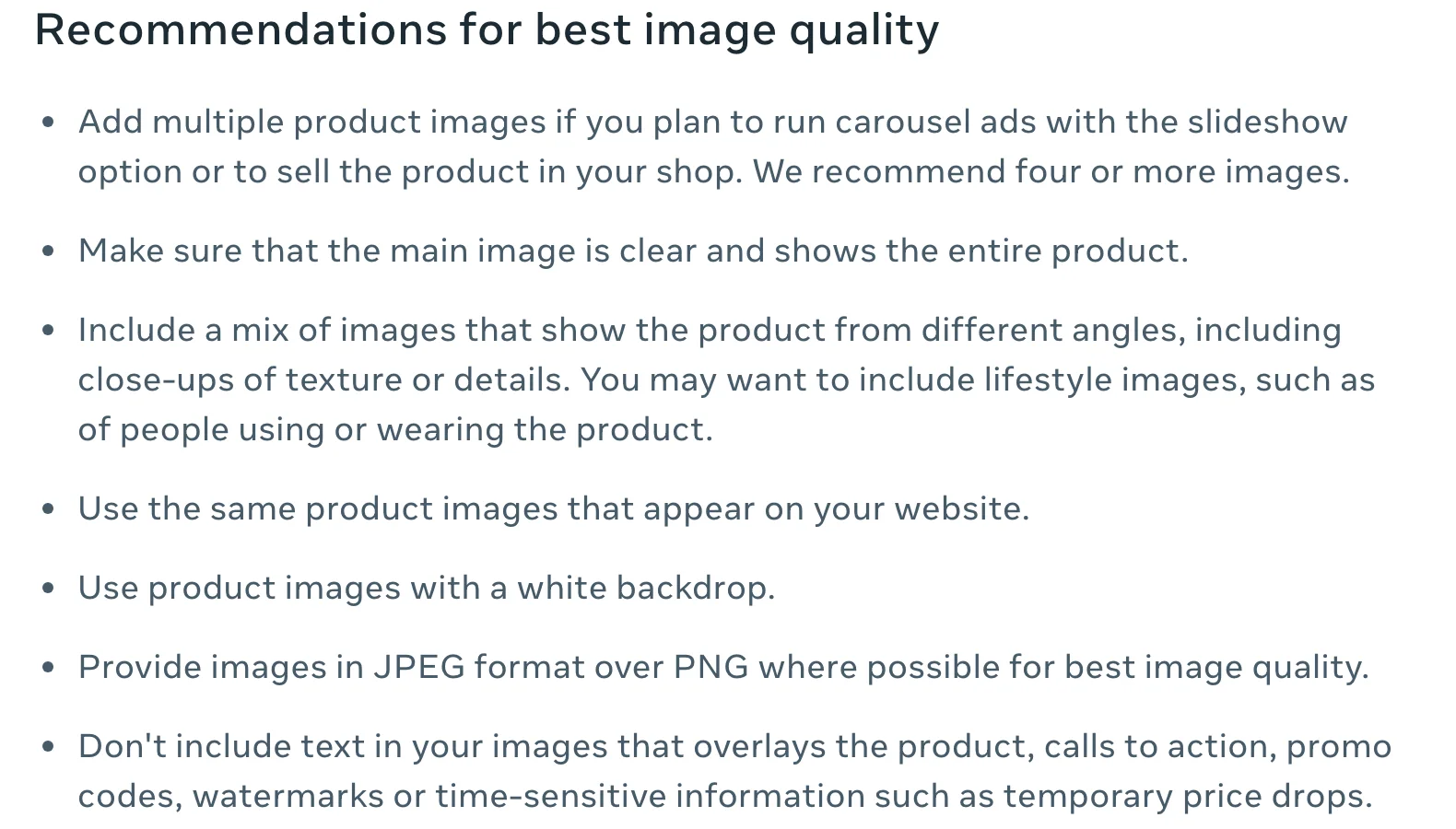
Meta's image specification is more careful. It wants a clear main image that shows the whole product, a white backdrop, and four or more images, with lifestyle shots suggested among the extras11.
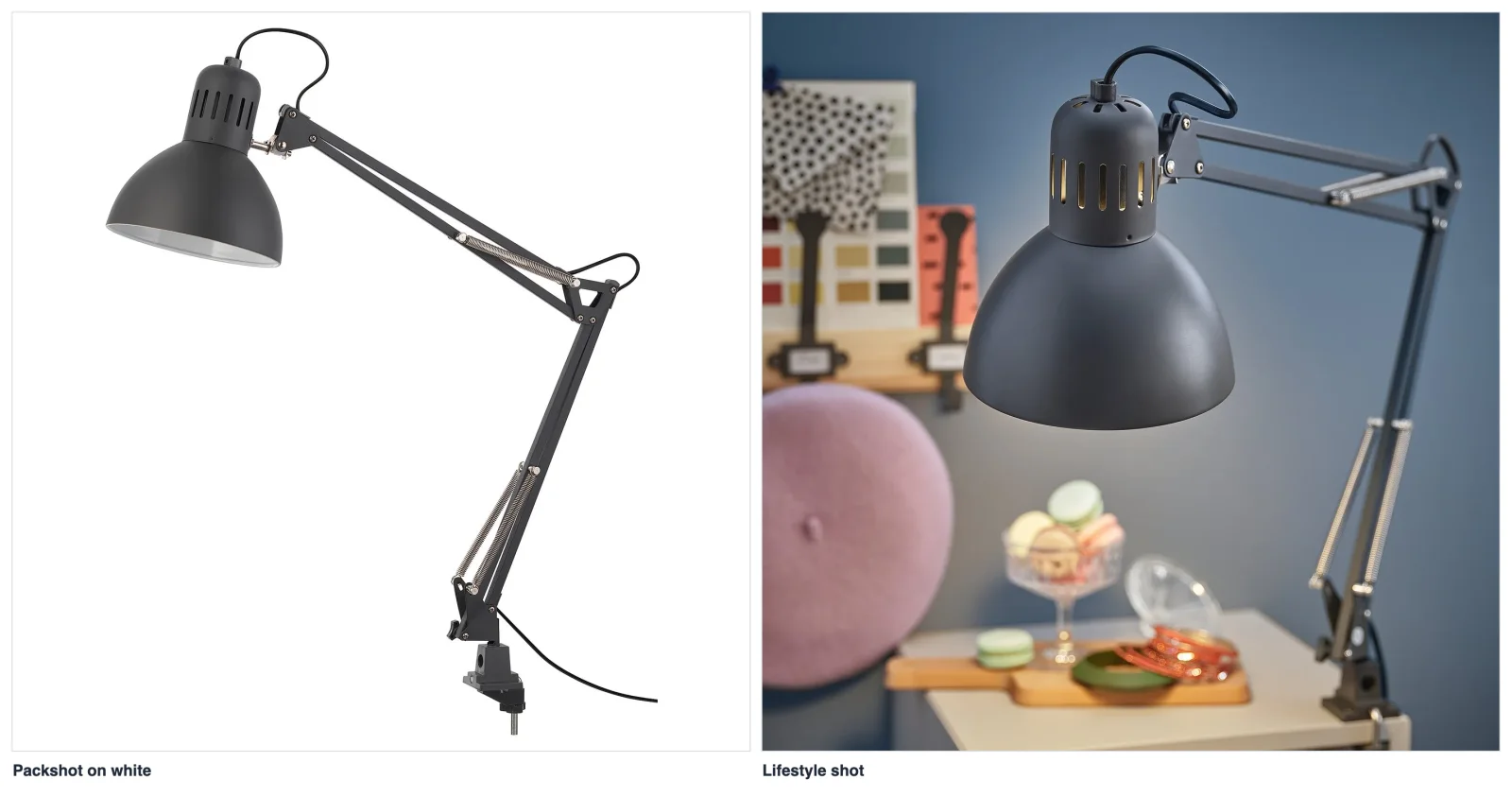
So decide which picture each surface gets.
If you have lifestyle shots, either send one as image_link in the Meta feed only, keeping the packshot for Google, or keep the packshot as main and point your ads at an extra image: Meta's image templates can show additional image 1, 2 or 3 instead of the main one12.
If you have none, the honest options are a model and a camera crew, or Meta's own image background generation, which builds a backdrop inside the ad and lives only in Meta3.
Two traps. Meta says not to put time-sensitive text, such as a price drop, into catalogue images11, because a baked-in price goes stale the day the sale ends. A sale badge has to come from live price data, which is what Meta's templates and dynamic overlays do312. And Meta only fetches a changed image if its URL changes too11, so a new lifestyle shot under an old URL never arrives.
Sending one row per colourway
Meta's default is one row per variant, grouped by item_group_id6.
For apparel, that means a black hoodie in 6 sizes is 6 rows with the same picture.
We found no Meta page, on 21 November 2026, that says a carousel shows only one row per group, and we've seen carousels show the same hoodie in the same colour several times over.
The alternative is one row per colour:
| Approach | Rows for a hoodie in 2 colours, 6 sizes | What a carousel can show |
|---|---|---|
| One row per variant | 12 | The same black hoodie up to 6 times |
| One row per colourway | 2 | Black once, grey once |
It's worth doing, with three conditions.
- The pixel has to change with it.
ViewContent,AddToCartandPurchasemust send the colourway's ID, not the size SKU, or the pixel's content IDs stop matching the catalogue and your match rate falls10. Change both sides on the same day. - The colour row is
in stockwhile any size is, and itslinkopens that colour. - Shops need
sizeon clothing and shoes1. If you sell through Shops, keep a size-level catalogue for them and use product sets to choose what the ads draw on.
How a Meta feed differs from your Google feed
Most of your Merchant Center feed carries straight over, and Meta accepts google_product_category5.
These are the differences that break things17:
| Field | Meta | |
|---|---|---|
id |
Your offer ID | Must also match the pixel's content ID |
availability |
in_stock, out_of_stock, preorder, backorder |
in stock, out of stock, with spaces |
price |
15.00 USD |
Same form, one currency per file |
image_link |
500 x 500 from 31 January 202713 | 500 x 500 now, under 8 MB1 |
custom_label_0 to 4 |
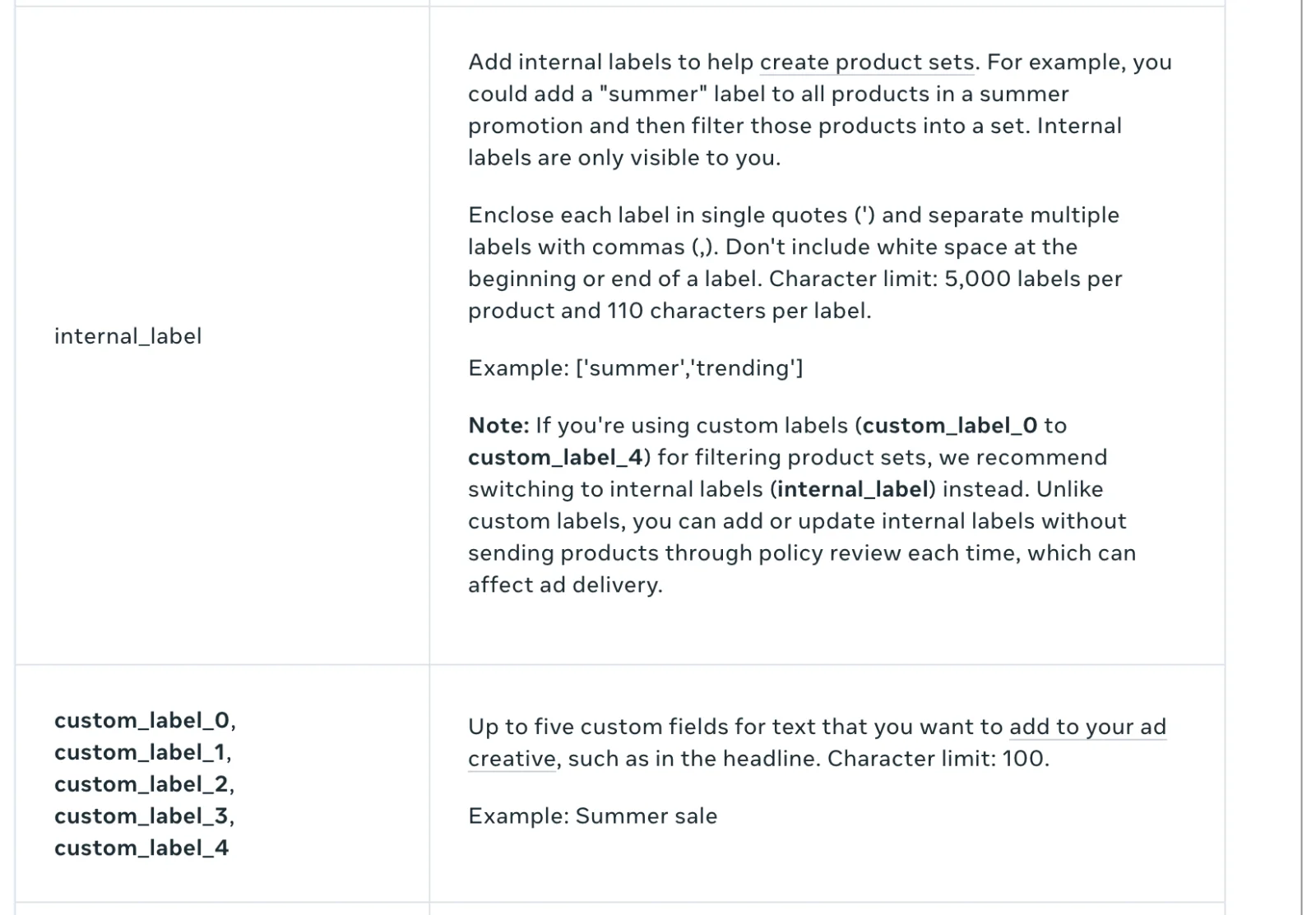
Bidding and reporting, never shown | Text for your ad creative |
One currency per file: for euros and pounds as well as dollars, Meta wants a country feed for each extra market1.
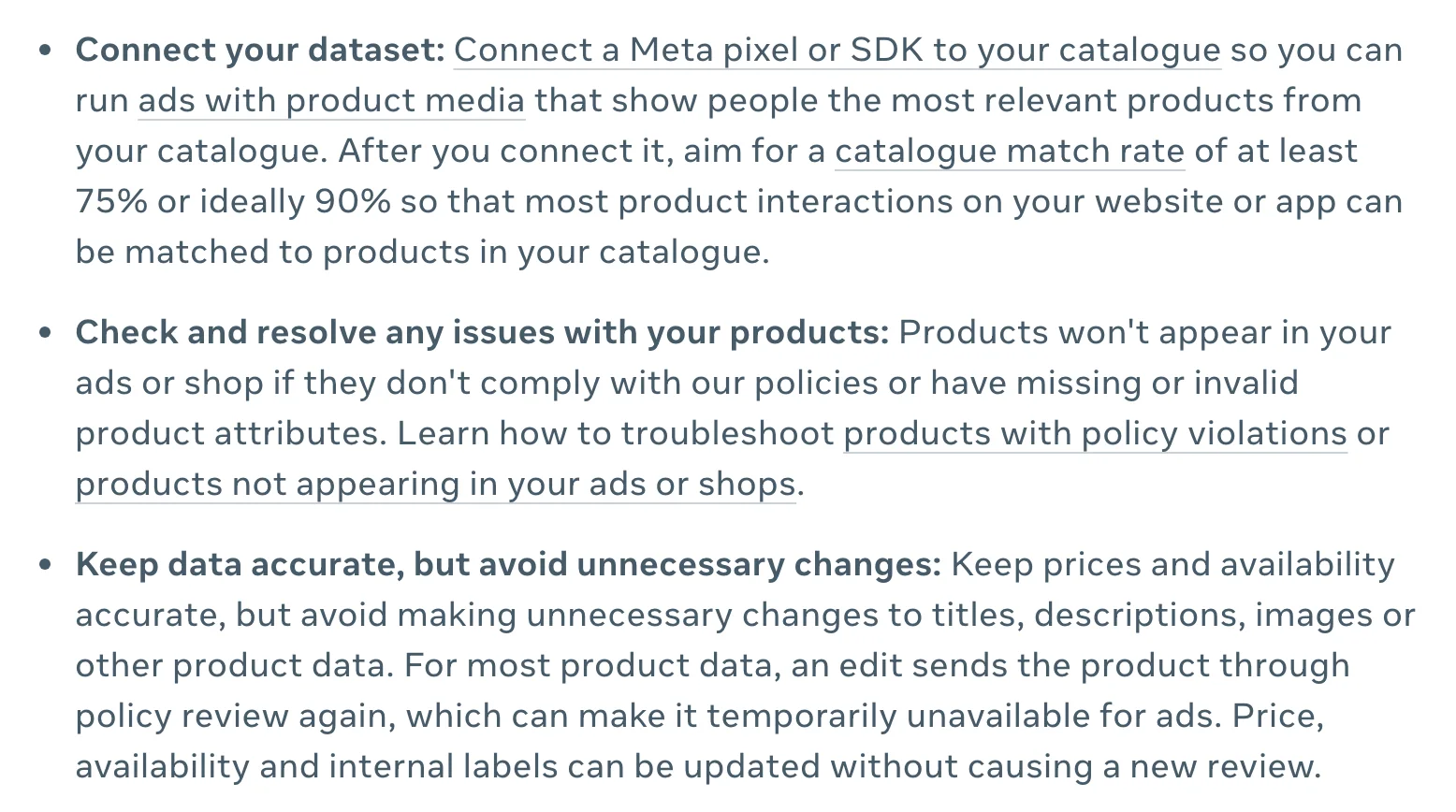
On Meta, editing most product data sends the product back through policy review, which can pull it from ads for a while6.
Meta now recommends internal_label for building product sets, because it changes without a review1.
Ways to load the catalogue
Meta's page on ways to add products lists 7 data sources8. Three matter for a real catalogue:
- A scheduled data feed. Meta fetches your file hourly, daily or weekly9. Meta's own advice is an hourly update for price and stock plus a weekly or monthly replace to clean up9. Do that.
- A partner platform. Shopify, WooCommerce and others sync products from the store in a few clicks8.
- The Batch API, for developers8.
The partner sync is the quickest start, and it sends your store as it sits, the same way it does for every other store on that platform. One row per size, the store's first image as main, the same titles you send everywhere. Nothing in it moves your lifestyle shots to the front or collapses sizes for the ads.
The mistakes that cost the most
IDs that don't match pixel events come first. Commerce Manager reports a catalogue match rate, and Meta says to aim for at least 75%, ideally 90%6. The usual break is a site that sends the parent product's ID while the catalogue lists variants, or the reverse.
Then variants with links that don't select the variant.
Meta wants each link to open that exact variant6.
When the row is the white trainer in size 10 and its link opens the default black size 9, the ad shows one product and the page sells another.
Then stale price and stock. Meta asks for an update at least daily, and more often when prices or stock change6. Price and availability changes skip policy review6, so send them hourly.
When your Meta ads need better pictures than your store has
Most stores have packshots on white, a few lifestyle shots on the hero products, and no time to brief a shoot for the rest. FeedWorks' AI Studio turns a plain product photo into a lifestyle shot with its Lifestyle Shot preset; you review the results and assign the ones you like to a product field, so the Meta export can send it as the main image while Google keeps the packshot.
Creative Studio lays banners, badges and frames over any product image and fills them from the feed: the price, the sale price, or a percent-off badge worked out from the two. It outputs formats laid out for Meta's safe zones and checks the template against the whole catalogue before it renders.
For Meta, keep it to what Meta's rules allow: a "New in" pill, your brand name, a frame, nothing over the product itself, and no temporary price drop written into the picture11. Save the sale badge for the channels and placements that allow one; on Meta a sale price belongs in Meta's own dynamic overlays or image templates, which read the live price from your catalogue312.
Both send to Meta through a direct catalogue connection, built from the same catalogue as your Google feed.