Running your business from one agent, over MCP
More businesses now connect one agent, such as Claude or ChatGPT, to the systems they run on through MCP, the Model Context Protocol, and work from that agent instead of logging into each tool. The agent carries the context between systems, so a question that used to take four logins and a spreadsheet gets one answer.
Last verified 21 November 2026. A four minute read.
Why teams are moving their work into one agent
A merchandiser's week used to mean the ERP for stock, the store admin for products, the PIM for content, the email platform for campaigns, the feed tool for Google and a spreadsheet to tie them together. No one system held the whole picture.
We're now seeing retailers do that work from one agent instead. They connect Claude or ChatGPT to each system through MCP, the Model Context Protocol, an open standard for connecting AI apps to outside systems1. The agent keeps what it knows about the business, its products, its margins, its past decisions, and carries it from one system to the next.
The real gain is answers that join up. "Which overstocked lines are we not advertising?" needs the ERP, the ads account and the feed. Asked of one agent connected to all three, it's one question.
What a connected agent can do
The useful jobs cross at least two systems, and these are the ones we'd start with.
| Job | Systems the agent reads | What it hands you |
|---|---|---|
| Monday briefing | OMS, analytics, ads | Last week's orders, returns and ad spend by category, with what moved |
| Stock-aware advertising | ERP, ads, feed | Lines with deep stock and no ad spend, and lines being advertised with days of stock left |
| Returns that point at the listing | OMS, PIM, feed | Products returned for "not as described", and the title or attribute that misled |
| Clearance campaign | ERP, CRM, engagement platform | Overstock matched to the customers who bought that category, drafted as a campaign |
| New range launch | PIM, store, feed | Products missing the attributes a channel needs, before they go live |
Every row ends with something for a person to look at. That's how we'd run it: the agent does the gathering and drafts the change, and a person approves the changes that matter, such as prices, campaigns and anything a shopper will see.
Which of your systems already speak MCP
Most of them, as of 21 November 2026. The vendors below publish their own MCP server or connector.
| System | Example | What the vendor offers |
|---|---|---|
| E-commerce platform | Shopify | Official connectors for Claude, ChatGPT, Gemini, Copilot, Perplexity and others, to manage the store from the agent4 |
| ERP | NetSuite | The AI Connector Service, built on MCP, for completing tasks in NetSuite from an AI client5 |
| PIM | Akeneo | An MCP server that reads and updates products, families and categories6 |
| CRM | HubSpot | A remote MCP server that reads, creates and updates contacts, companies, deals and tickets7 |
| Customer engagement | Klaviyo | An MCP server covering everything from performance reports to creating email campaigns8 |
Google's ads, analytics and Merchant Center servers are covered in MCP recipes for your feed, along with what each can and can't change.
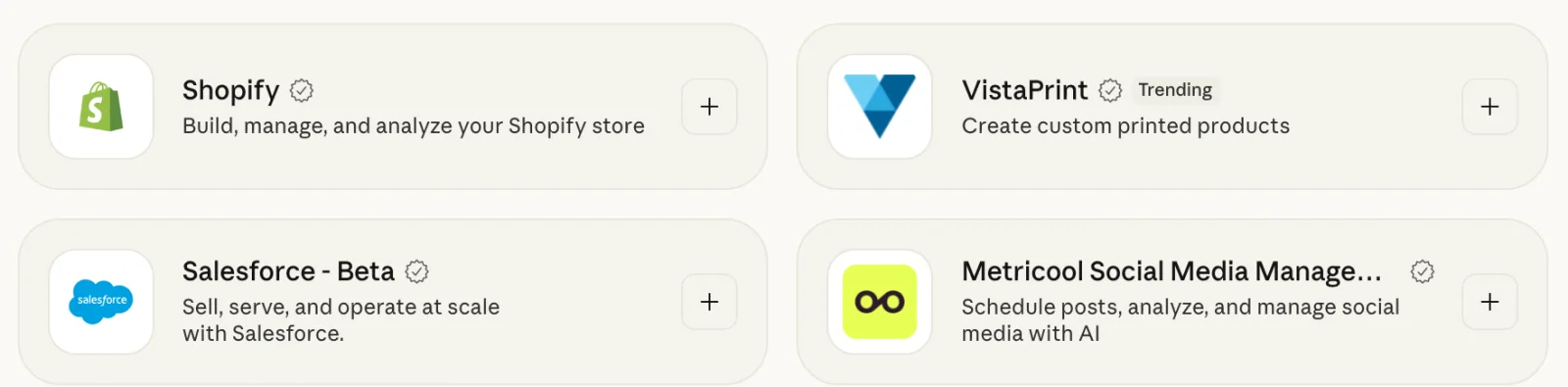
If yours isn't listed, check its developer docs for "MCP" before assuming there's nothing. Where there's no official server, community-built ones often exist; read what access they ask for before you connect one.
Connecting a system to your agent
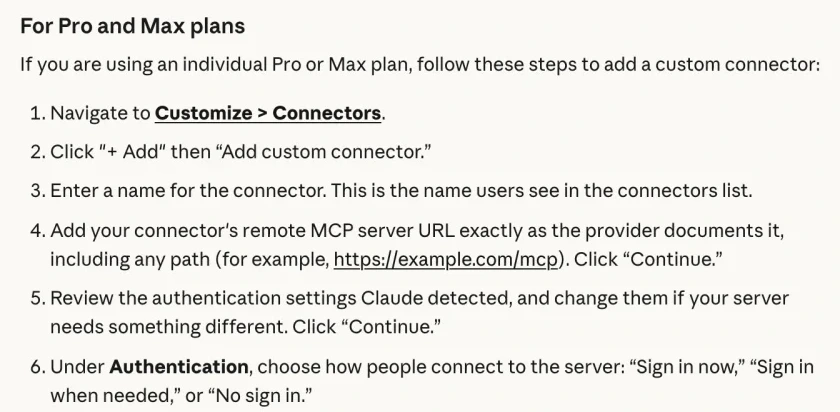
In Claude, you add a system as a connector: paste its MCP server URL under Customize, then Connectors, and sign in to that system when asked2. On Team and Enterprise plans an owner adds it once for the organisation and each person connects their own account2.
In ChatGPT, custom MCP servers are added as plugins, and on Business plans only admins and owners can create and publish them3. ChatGPT may ask you to confirm a write action, and blocks some risky ones outright3.
Connect one system at a time. Start with the one you open most, ask it the questions you already ask your team, and check its answers against the system itself for the first week.
Where the product feed fits
Of all the systems on the map, the feed platform is the only one that sits between your store and the channels. Google, Meta, Microsoft and the AI assistants decide what to show largely from your product feed.
So an agent can find that your best-margin jackets are buried in Google, and know exactly why: the colour and material sit in the description, and the title is a style name. If it can't change what the feed sends, it hands you a to-do list.
Connected to a feed platform, it can draft the fix itself: the rule that pulls colour and material into their own fields, and the title that a shopper would search.
Your store's own connector doesn't do this. It changes the store, which every channel then reads the same way, and most merchants don't want "black waterproof hiking jacket" written over the product name on their own site.
If your agent should run the feed as well
That's the step FeedWorks, the first end-to-end agentic feed platform, opens up through its MCP server9. Your agent works on the feed with the same view as Aurora, the agent inside FeedWorks, and turns what it learns elsewhere in the business into rules on the product data. You approve those changes in FeedWorks or straight from the chat, with a person in the loop where it matters.
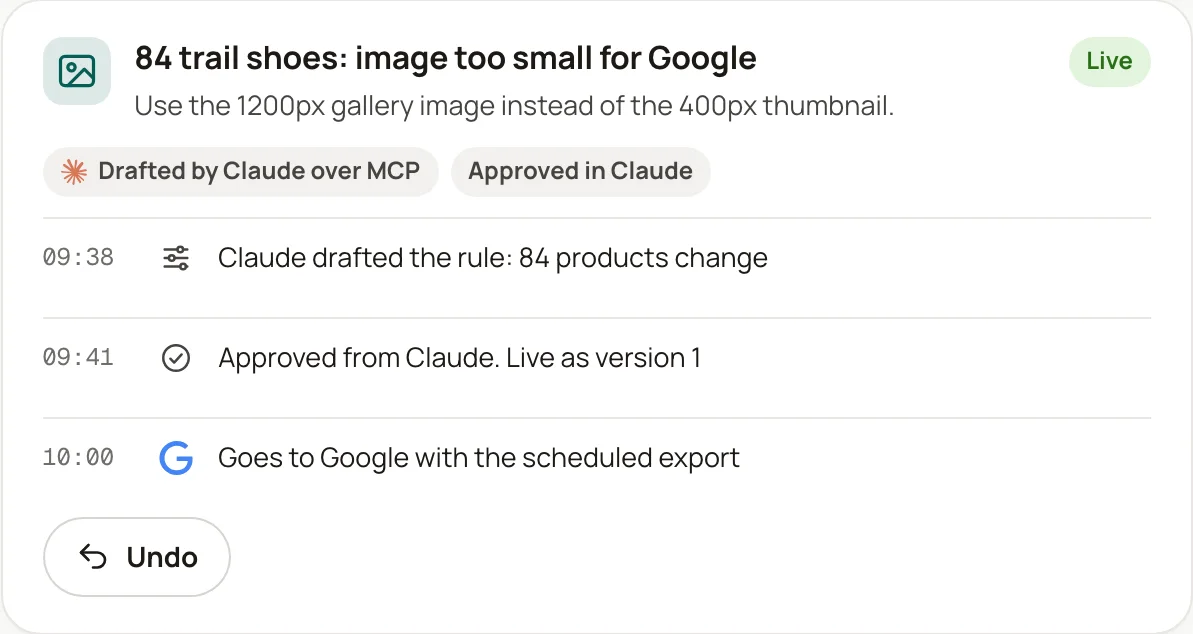
As of November 2026, FeedWorks is the only feed platform with a mature, agentic MCP. Your agent brings the business context, and FeedWorks turns it into the product data each channel reads.