How to see whether AI answers show your products, and send you shoppers
Google's AI performance insights in Merchant Center shows your share of voice in AI Mode and AI Overviews, for English queries in 5 countries. Everything else you can see today is impressions, citations, mentions or clicks, and no channel's report tells you which of your products an answer named.
Last verified 21 November 2026. A seven minute read.
What you can measure, as of 21 November 2026
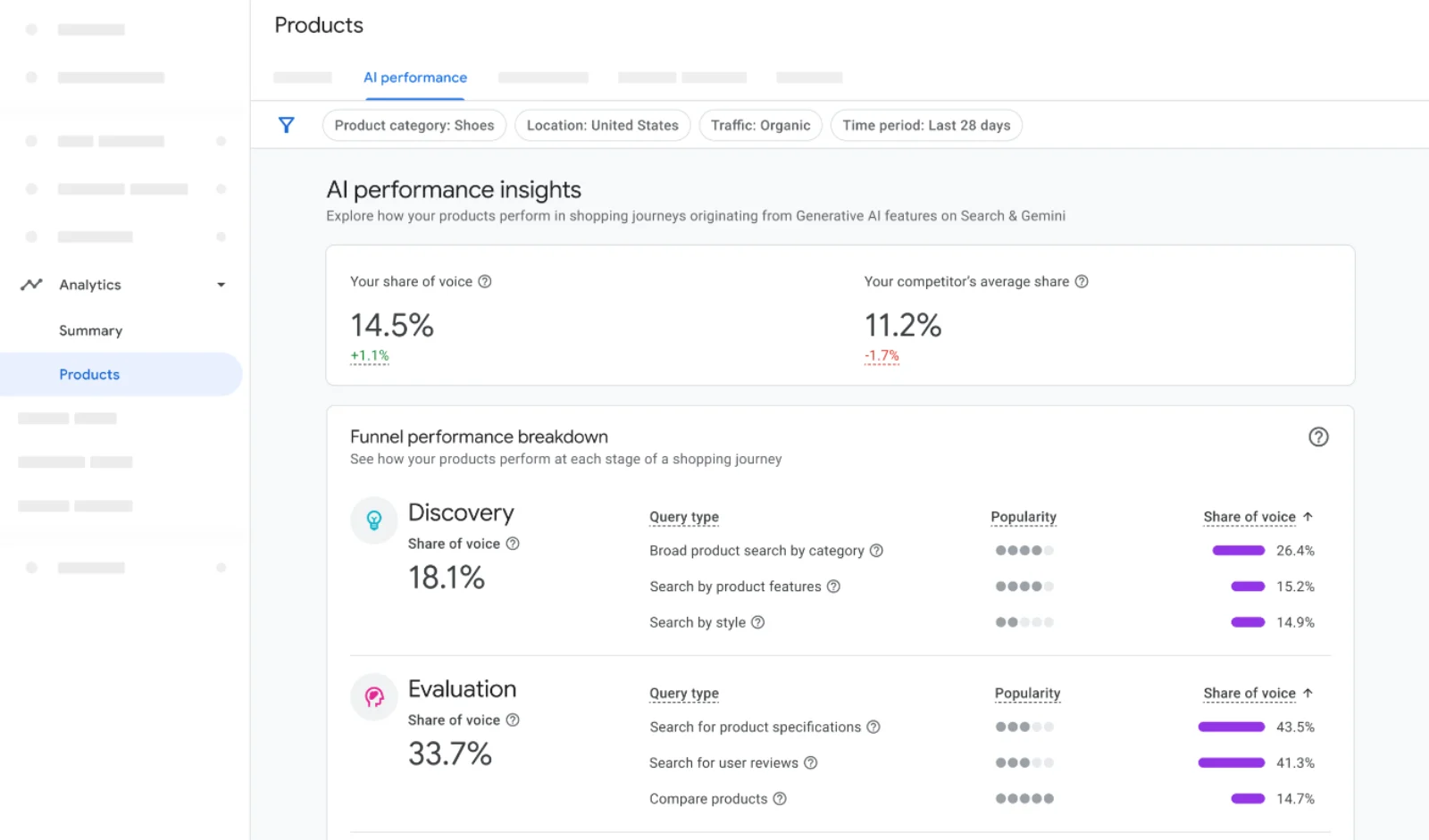
Five reports touch AI shopping, and only one is about products. Google's AI performance insights lives in Merchant Center and compares your brand with your competitors across AI Mode and AI Overviews1.
The rest measure your website, or your brand, from the outside.
| Report | Where | What it counts | What it leaves out |
|---|---|---|---|
| AI performance insights | Merchant Center, Analytics, Products | Share of voice, shopping stages, popular terms and attributes1 | Paid ads, non-English queries, most countries |
| Generative AI performance | Search Console, Performance | Impressions of your pages in AI Overviews and AI Mode34 | Clicks, products |
| AI Assistant channel | Google Analytics | Visits from ChatGPT, Gemini, Copilot and others6 | AI Mode and AI Overviews, which count as Organic Search6 |
| Insights | ChatGPT Business Hub | Mentions, website clicks, discovery topics7 | Prompts, products, sales |
| AI Performance | Bing Webmaster Tools | Citations of your pages in Copilot and Bing8 | Clicks, products |
Merchant Center: share of voice in AI Mode
Google announced the report on 27 May 2026 and made it generally available on 16 September29. Open Merchant Center, go to Analytics, then Products, and pick the AI performance tab1.
It works on English-language queries only, for accounts in Australia, Canada, India, New Zealand and the US1. If you sell in the UK or the EU, you won't see it yet.
Share of voice is your slice of the AI impressions on the queries that matter, set against the competitors defined in your Merchant Center account1. Google says you can't change them for this report. If none are defined, you'll see 100%, which tells you nothing1.
Below that, Google's help page lists1:
- three shopping stages, discovery, evaluation and ready to buy, each split by the kind of question asked
- the top terms in your category, and how many of your products show for each
- popular attributes shoppers look for that may be missing from your data, such as size, colour or material
- the limits: organic traffic only, one category at a time, refreshed daily but a few days behind
Start with popular attributes. It's the only scorecard that tells you what to change, and the change is in your feed.
Google's May announcement named the Gemini app as well2. The help page today names only AI Mode and AI Overviews1. We'd read it as those two until Google says otherwise.
Search Console counts impressions only
Search Console's generative AI performance report tells you how often a link to your site turned up in an AI Overview or in AI Mode, page by page and country by country3. Every site has had it since 31 August 2026, Google announced4.
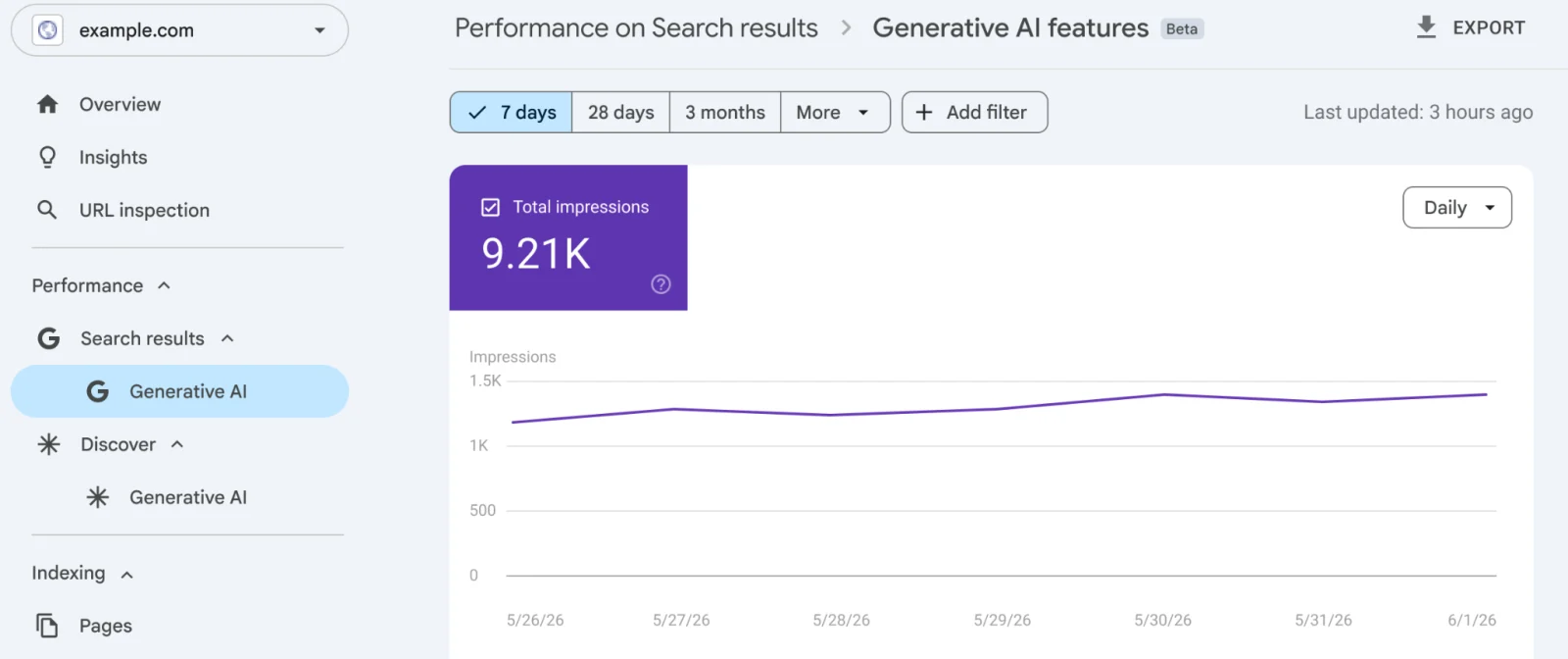
The clicks are somewhere else. When a shopper taps through from AI Mode or an AI Overview, Google counts it in the ordinary Performance report5, mixed in with every other web search click. We couldn't find a way in Google's help pages to split it out.
It's a report about pages, so a product appears only as its URL. Good for your guides and category pages, and not much use across a catalogue of variants.
Visits from ChatGPT, Copilot and Gemini in your analytics
Google Analytics has an AI Assistant channel in its default channel group, and it's worth adding to your acquisition report today.
A visit lands there when the referrer is on Google's list of assistants, or when the link carries the medium ai-assistant6.
AI Mode and AI Overviews go into Organic Search with everything else6, so Google's own AI surfaces get no line of their own.
In any other analytics tool, filter on chatgpt.com and the other assistants' domains in the referrer.
ChatGPT's Business Hub shows mentions and clicks
OpenAI opened Businesses in ChatGPT on 10 November 202610. Claim your business in Business Hub, following OpenAI's set-up guide, get through the identity check, and you'll find an Insights tab.
It covers the last 28 days: mentions, website clicks and discovery topics. Your brand name on its own isn't a mention; ChatGPT has to point at your website. The topics are themes from those answers, and you never see a prompt. A blank metric doesn't mean zero7.
A click doesn't prove a visit or a sale. Everything is counted for the business as a whole, so you won't find a number for a single product. And claiming the profile doesn't buy you a better spot in the answers, OpenAI says7.
Copilot reports citations in Bing Webmaster Tools
Bing Webmaster Tools does something similar for Copilot. Its AI Performance report, in public preview since 10 February 2026, counts how often Copilot, Bing's AI summaries and some partner apps cite your pages8.
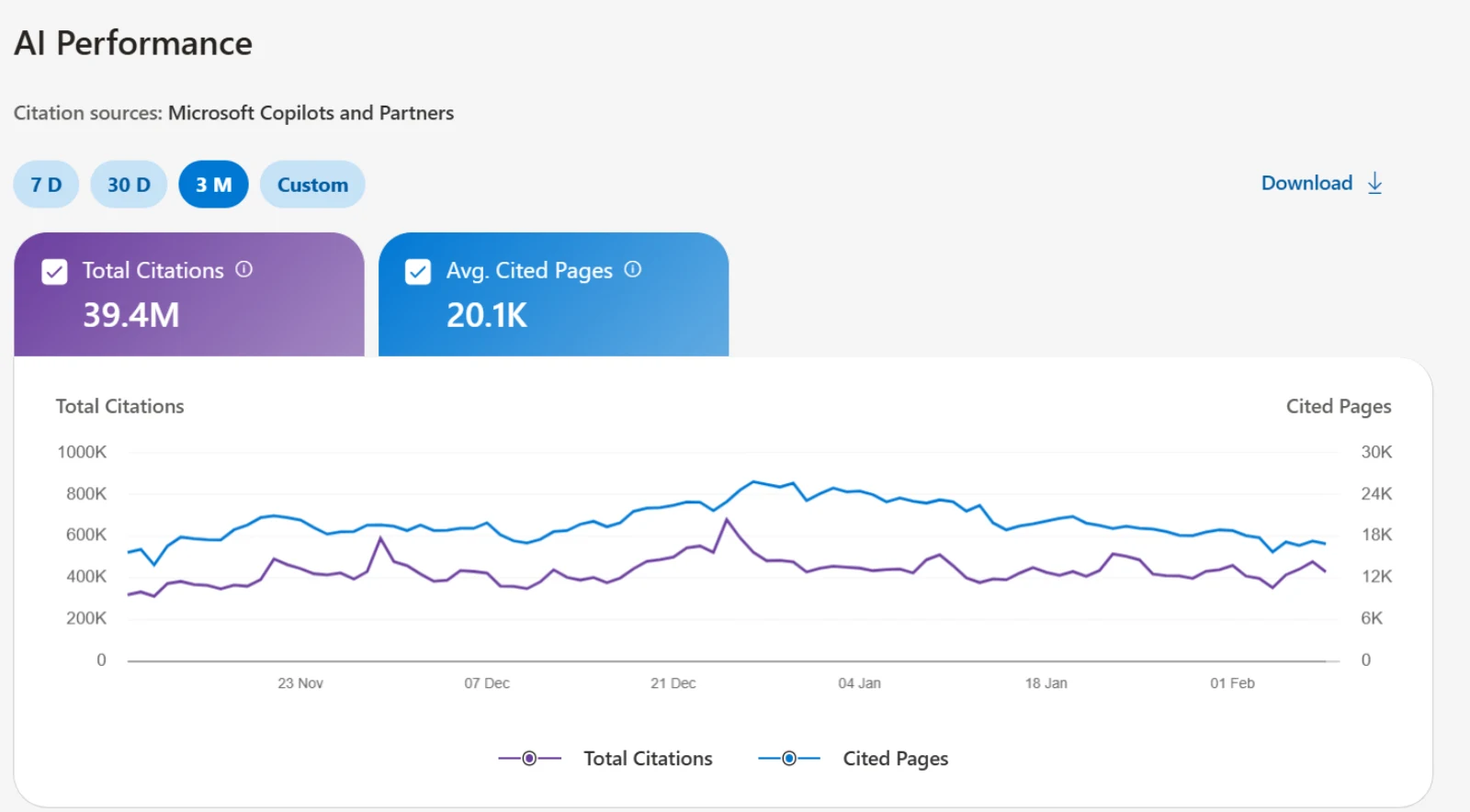
Since 16 June it also sorts the queries by intent and topic and gives you your share of the citations on each11. Microsoft calls that share observational, and it won't tell you who else was cited.
What none of them tell you
- Which products an answer named. Merchant Center counts how many of yours show per term1, and nobody lists them by answer.
- The question that was asked. Every report above keeps the prompt back.
- What sold. None of these reports reaches your checkout.
- Anything from Perplexity or Meta. Perplexity's 2024 merchant programme promised a dashboard of shopping trends12; we found no current documentation of one, or of any merchant report for Muse, on 21 November 2026.
That first gap is the one that costs money. One well-known apparel brand we work with came up in most ChatGPT answers about its category, and not one of its best sellers was named in any of them. Measured by mentions or share of voice, that brand looks healthy. The products were the part that was missing, and products are what the feed describes.
What product-level visibility looks like
If the channels won't tell you which products they named, you have to ask them yourself, the way a shopper would, and keep the answers. Done properly that's a standing set of shopper questions, run on a schedule across the assistants, as a logged-out shopper so your own history doesn't skew it.
| What to record | Why it matters |
|---|---|
| Whether your brand was named, and which competitors were | Share of the answer, on your own questions |
| Which of your products were named, matched by URL, GTIN or title | Brand visibility and product visibility come apart |
| The price, stock and variant the answer showed | An answer that disagrees with your feed is a fix you can make |
| Whether a reseller won the offer | Your product, someone else's sale |
| Citations, shopping cards and ads, kept apart | An ad isn't visibility |
Write the questions from your catalogue, starting with your best sellers, and add category questions with no brand in them. Run them weekly, by country, and compare periods rather than reading one run.
Turning what you see into a change you can test
A visibility number on its own is a mood. The useful step is to connect it to something you can change in the feed and then measure.
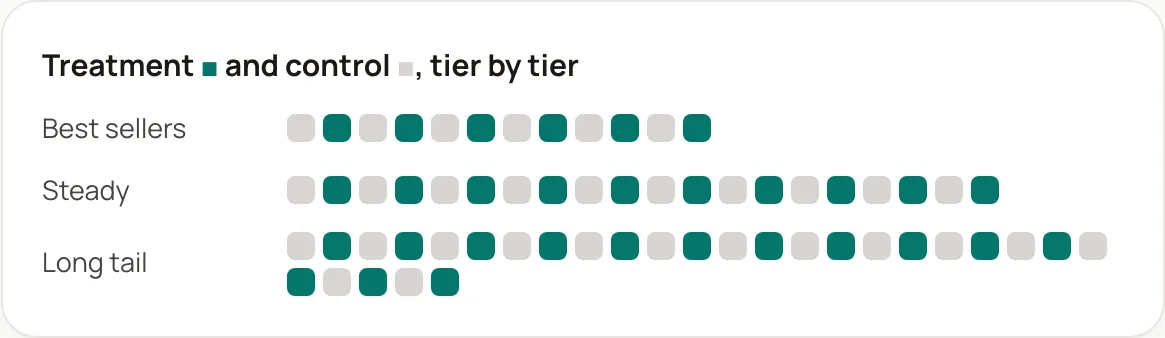
Say the evaluation-stage share is low and the popular attributes list says material is missing. Fill material on half the affected products, leave the other half as a control, and read the results from Merchant Center, Google Ads and Google Analytics, which do report per product. Our guide to product feed A/B testing covers why the split has to be by product rather than by shopper.
The AI reports above tell you where to look. Your ad and analytics data tells you whether the change worked.
If you want to see which of your products the assistants name
None of the channel reports go down to the product, so most teams either check by hand once a month or don't check at all.
FeedWorks AI Visibility, in early access, asks a set of shopper questions on ChatGPT, Gemini, Google AI Mode, Perplexity and Bing as a logged-out shopper, weekly by default or on demand.
It keeps every answer, matches the mentions back to your products and variants, and shows which competitors were named. It flags where an answer disagrees with your feed: a different price or stock, an out-of-stock variant, the priciest variant shown, or a reseller winning the offer. Questions can be written from your best-selling products, and products can be grouped and measured per country.
Alongside it, FeedWorks pulls Google Ads, GA4 and Merchant Center results in per product, and Aurora, which can read both, uses the performance data to suggest A/B tests and check whether a change worked. As of November 2026 FeedWorks is the only feed platform doing this.