UCP checkout: who can sell inside Google's AI answers, and what the feed needs
UCP checkout puts a Buy button on your products inside AI Mode in Google Search and Gemini, paid with Google Pay, with you still the seller of record. As of 21 November 2026 Google's help page says it covers products eligible in the US, Canada and Australia, for select merchants through an interest form, while Merchant Center onboarding is rolling out in the US first, with Australia and Canada in 2027; a product shows the button only when its feed carries native_commerce checkout eligibility.
Last verified 21 November 2026. A seven minute read.
What UCP checkout is
A shopper asks AI Mode for a carry-on that fits a laptop. Google answers with products, and on some of them there's a Buy button next to Visit site. Tap it, check the order and pay with Google Pay. The shop's website never loads.
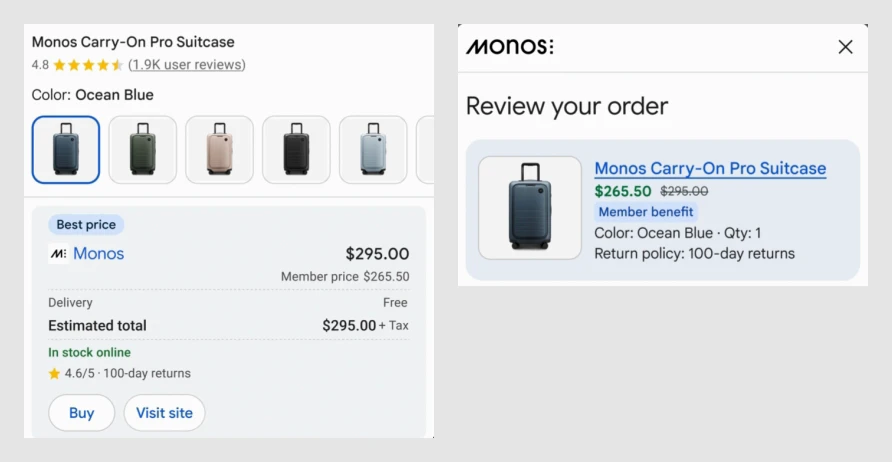
That button is UCP checkout. UCP, the Universal Commerce Protocol, is the open standard Google announced on 11 January 2026 with Shopify, Etsy, Wayfair, Target and Walmart, for agents that search, buy and handle the order afterwards1. Checkout is the first thing it does on Google. Since May 2026 the same button has also turned up in ordinary search results for some retailers, Wayfair first10.
You stay the seller of record, according to Google's help page2. Google fills in the payment and delivery details already saved in the shopper's Google Wallet1. Your returns policy, your support contact and your terms all show on Google's screen.
A second mode, cart transfer, adds the items to your own site's cart instead, so the shopper finishes there3.
Who can use it, as of 21 November 2026
The way in is Google's interest form. Google calls it an early access programme for select merchants, so not many are in yet24. Onboarding in Merchant Center comes after that4.
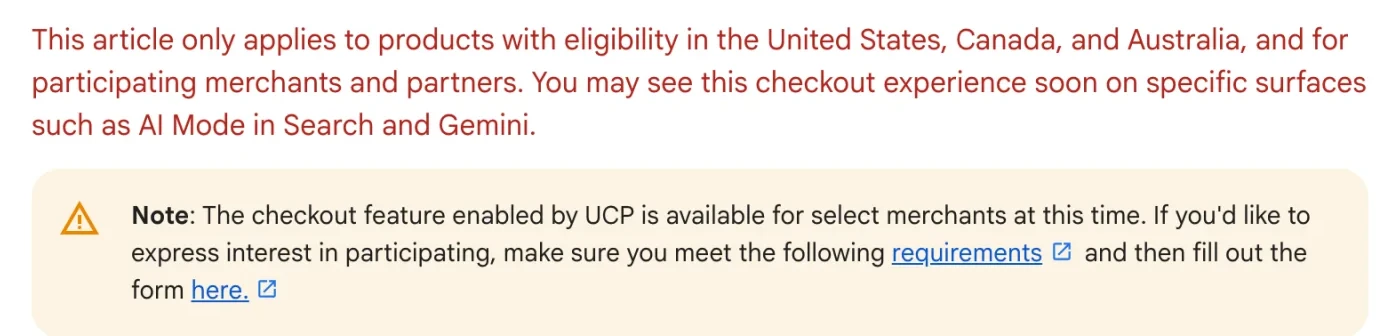
Countries are where Google's own pages disagree. We read each of them again today.
| Google page | What it says today |
|---|---|
| Help page on UCP checkout2 | Applies to products eligible in the US, Canada and Australia, for select merchants, through an interest form |
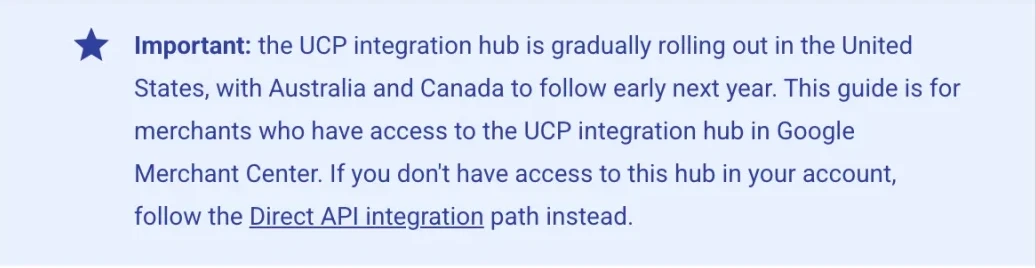
| Help page on onboarding4 | Merchant Center integration rolling out gradually in the US now; Australia and Canada in 2027 |
| Developer guide, updated 17 November5 | Integration hub rolling out in the US now; Australia and Canada early 2027. Scope is products sold in the US |
| Google Marketing Live post, 20 May6 | Canada and Australia in the coming months, the UK later |
| Google Canada, reported 4 November7 | Live for Canadian shoppers with three named retailers and select Shopify merchants |
| Checkout terms linked from the help page2 | Titled for the US, Canada, Australia and the United Kingdom |
So shoppers in Canada can already buy from a handful of big retailers. For everyone else, the Merchant Center route opens in the US first. If you sell only in the UK, Google has written terms for you but hasn't opened the door; in the rest of Europe there's nothing to apply for yet.
What to set up in Merchant Center
Google lists these before it will look at you23:
- A Merchant Center account in good standing, with products approved for free listings.
- Return policies with the return cost, the return window and a link to the full policy. On an advanced account, set them on every sub-account.
- At least one customer support contact: a website, an email or a phone number. It becomes the "Contact merchant" link on the order confirmation.
- A Google Pay & Wallet Console account.
- The technical build in Google's developer guide: your checkout endpoints and a UCP profile on your own site.
- The interest form. Google lets you in, and you get a sandbox in Merchant Center to test before going live4.
Step 5 is the real work, and it's a job for a developer. Google says onboarding comes after the technical build, not before4. If you're on a platform, ask them first; Google says so too5.
What the feed has to carry
| Attribute | Why UCP needs it |
|---|---|
native_commerce |
The opt-in. No value, or false, means no Buy button8 |
variant_option, with item_group_id and item_group_title |
Strongly recommended for variants. Builds the size and colour picker at checkout, and Google says incomplete variant data can suppress the button3 |
consumer_notice |
Required where the law wants a warning, such as California's Proposition 65. Shown on the checkout screen3 |
merchant_item_id |
Only if your checkout knows the product by a different ID from your feed id3 |
price, availability |
Must match your site at the moment of purchase. Google recommends real-time updates through the Merchant API or supplemental feeds3 |
Google suggests adding these through a supplemental feed, so a formatting mistake can't knock out your main product data38. We agree.
Two ways to write native_commerce
Google documents the attribute twice, and the two pages don't match.
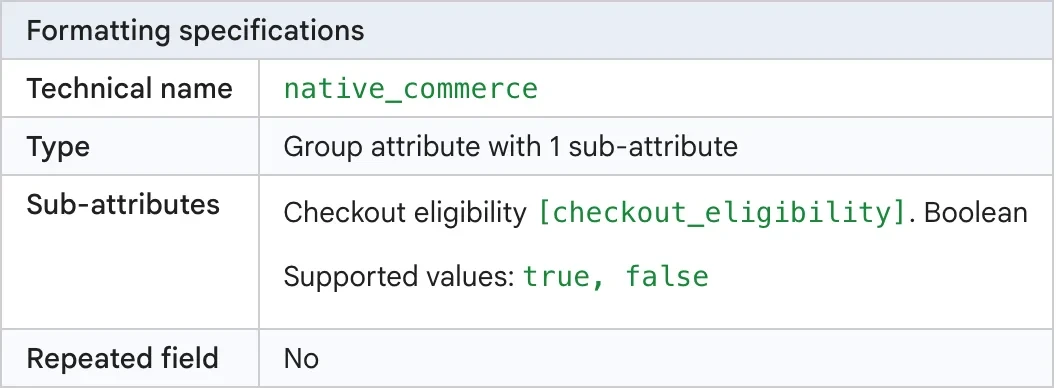
The Merchant Center help page describes a group with one sub-attribute, checkout_eligibility, set to true or false8.
In a text feed the column is native_commerce(checkout_eligibility).
The developer guide adds a second flag, cart_eligibility, for cart transfer3.
If you use both, the column becomes native_commerce(checkout_eligibility:cart_eligibility) with values like TRUE:FALSE.
Cart transfer is on by default for every product approved for free listings, once your UCP profile declares it, so FALSE there is how you opt a product out.
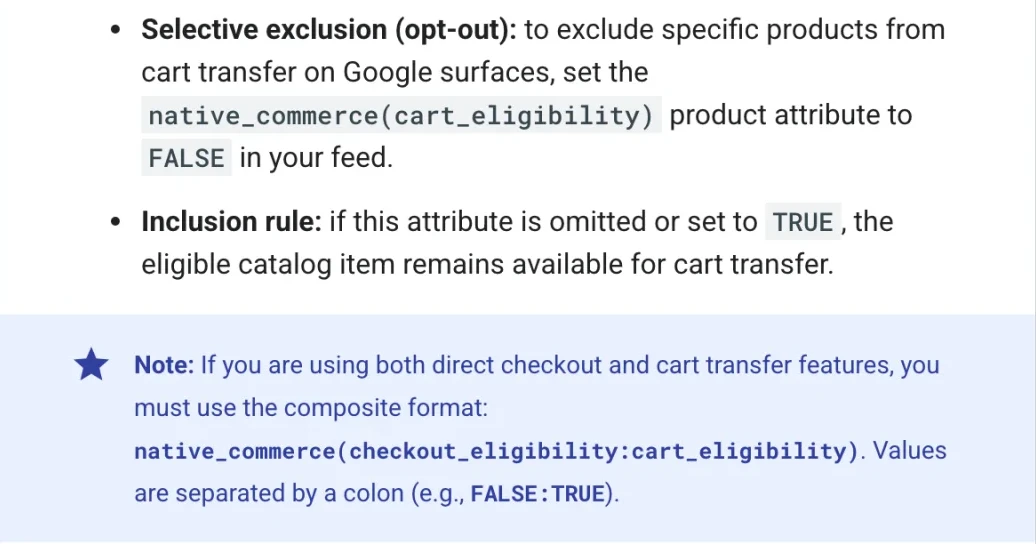
The developer guide also says the whole native_commerce group is overwritten on every upload3.
Send only the checkout flag and the cart flag is wiped.
Our advice: if you're onboarding, follow the developer guide and send both flags on every row, every time.
It says a plain native_commerce value still works as the checkout flag, so nothing you sent before breaks3.
Products Google won't sell through checkout
Google lists 15 kinds of product that have to stay out, with the flag empty or false3. The ones that catch ordinary retailers:
- Pre-orders.
- Personalised goods, such as engraving or monograms.
- Used, refurbished and final-sale items.
- Anything with freight or other special delivery fees.
- Subscriptions and instalment plans.
- Age-restricted products.
- Products sold with a service, such as a warranty, installation or setup.
- Gift orders that hide the price from the recipient.
- Services, rentals and virtual items.
We'd build this as a rule that runs on every import. A product that becomes final sale in January should lose the flag the same day.
Why the Buy button doesn't show
Most of the time, it's the gate. You haven't been let into the programme, or your checkout build isn't live, and no attribute fixes that.
Once you're in, the one feed cause Google names is incomplete variant data, which it says can suppress the Buy button3. In our view three more are worth checking, because the developer guide sets each as a rule:
- The
native_commercegroup was overwritten by an upload that left a flag out. - The feed price differs from the price your site returns at checkout.
- Returns or the support contact aren't set in Merchant Center.
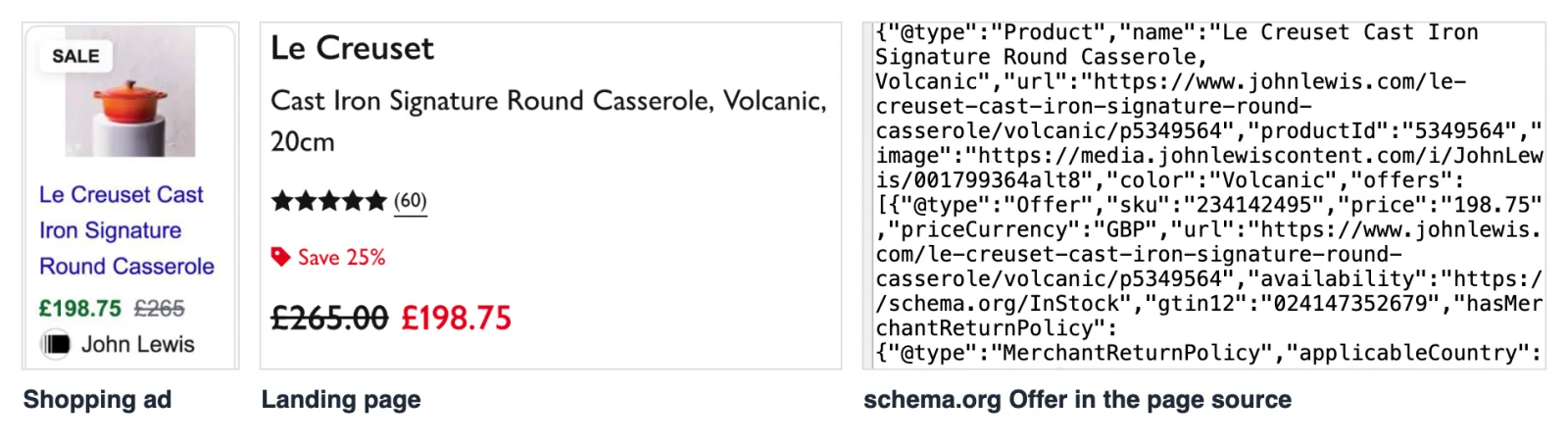
In our experience price mismatches are common in ordinary Shopping feeds, and they matter more when the sale happens inside Google. The ad, the landing page and the page's schema.org data all have to agree.
Status messages and fixes in Merchant Center are covered in ChatGPT feed and UCP errors, and the price triple in mismatched value price.
If you sell on Shopify
Shopify Catalog sends your products to the assistants through what Shopify calls agentic storefronts, and it is on by default for eligible stores11. In September Google emailed Merchant Center users that their Shopify store had been matched to Merchant Center, enabling native checkout in AI Mode and Gemini9. To keep buyers on your own site, turn native checkout off in Shopify admin under Sales channels, then Agentic9.
Check that setting this week. Google switched it on when it matched the store, so you may not have chosen it.
That route also sends your products to checkout as they sit in Shopify, the same as every other Shopify store.
It won't fill variant_option, keep native_commerce off final-sale and pre-order products, or tune anything for Google.
Those are the parts that decide whether the button shows, and they need a layer between the store and Google.
Deciding whether to sell inside Google
It's a real trade: a faster sale, but less of your site.
If you want it, set returns and a support contact first, fill variant_option and item_group_title on every variant, and ask your platform about its UCP plans before you submit the interest form.
The variant fields are also conversational attributes, so they pay off without checkout.
How UCP compares with OpenAI's protocol is in ACP, UCP and MCP explained. How products reach AI Mode in the first place is in the Google AI Mode guide.
When the feed has to be checkout-ready
The checkout build, the interest form and Google Pay are between you, your platform and Google, and Google decides who gets in. FeedWorks doesn't provide UCP checkout and doesn't integrate with UCP.
What checkout reads is the Google feed, and that's where FeedWorks works.
It shows how many of your variants carry variant_option and item_group_title, and Aurora drafts rules to fill them from each product's own data, coming to you as a card to approve by default.
A fast price and stock source can sit over your main catalogue and refresh as often as hourly, with only changed products pushed to Merchant Center.