BigCommerce and AI shopping: what's built in, and what you still send yourself
We found no BigCommerce setting that sends your products to ChatGPT on 21 November 2026, so most stores selling to US shoppers need their own feed in OpenAI's format, and every route that does exist sends the catalogue as it sits. The attributes assistants match on usually live in product-level custom fields and modifiers, and they have to reach each variant's own fields first.
Last verified 21 November 2026. A four minute read.
Is there a ChatGPT switch in BigCommerce?
As of 21 November 2026, no. We checked BigCommerce's agentic commerce page, its App Marketplace and its help centre, and found no setting that sends your catalogue to OpenAI.
| Offer, as of 21 November 2026 | What it does | Status |
|---|---|---|
| BigCommerce Catalog Enrichment | Writes titles, descriptions, bullets, FAQs and metadata in bulk inside the control panel, for you to approve | Now available1 |
| Agentic Shopping | Makes products discoverable in AI shopping experiences; no assistant named | Early access, through AI Labs1 |
| PayPal Store Sync | Catalogue to Copilot, Meta and Perplexity | Announced for the App Marketplace and Channel Manager on 29 April 20262 |
| Google's buy button (UCP checkout) | Checkout inside AI Mode and Gemini | Early access for select merchants3 |
| Storefront MCP | Lets an AI agent browse your live store and build a cart; no assistant named | Now available1 |
Every one of those routes, from PayPal Store Sync to the free Google app in your control panel, carries your catalogue as it sits in BigCommerce, in the same shape as every other BigCommerce store's, so being connected gives you no edge. Catalog Enrichment rewrites the words, and the words still land in a title and a description.
Google first, then ChatGPT
| Assistant | Route for a BigCommerce store | Where it works |
|---|---|---|
| Google AI Mode and Gemini | Your Merchant Center feed, from the free Google app under Channels in your control panel, or any feed tool6 | Free listings can show in Gemini13; Merchant Center can help in AI responses14 |
| Microsoft Copilot | Microsoft Merchant Center, imported from your Google feed8, or PayPal Store Sync | Checkout: a pilot for select merchants, for English-language merchants selling to US buyers, as of 21 November 20269 |
| ChatGPT | Your own feed in OpenAI's format, through Business Hub10 | US shoppers only11 |
| Perplexity | PayPal Store Sync12, or Perplexity's merchant interest form15 | Store Sync: US and UK12 |
Start with Google: free listings can show in Gemini13, and Microsoft can import the same feed on a schedule for Copilot8. Then ChatGPT, if you sell to US shoppers; it's the one large assistant with no built-in BigCommerce route.
OpenAI's docs start you in Business Hub: claim your business, verify your identity, pick countries and currencies, then upload by hand, from a hosted URL or by SFTP10.
Every upload is a full snapshot and item_id has to stay the same from one to the next10, so use the variant SKU or variant ID, never the product's own SKU, which every variant shares.
A price list per storefront
With Multi-Storefront, a product only sells on a storefront it's assigned to7. Price lists can be assigned per storefront, per customer group or both, and only one applies at a time; when none matches, the catalogue price is used7. A price list can also carry its own price for each currency you've enabled16.
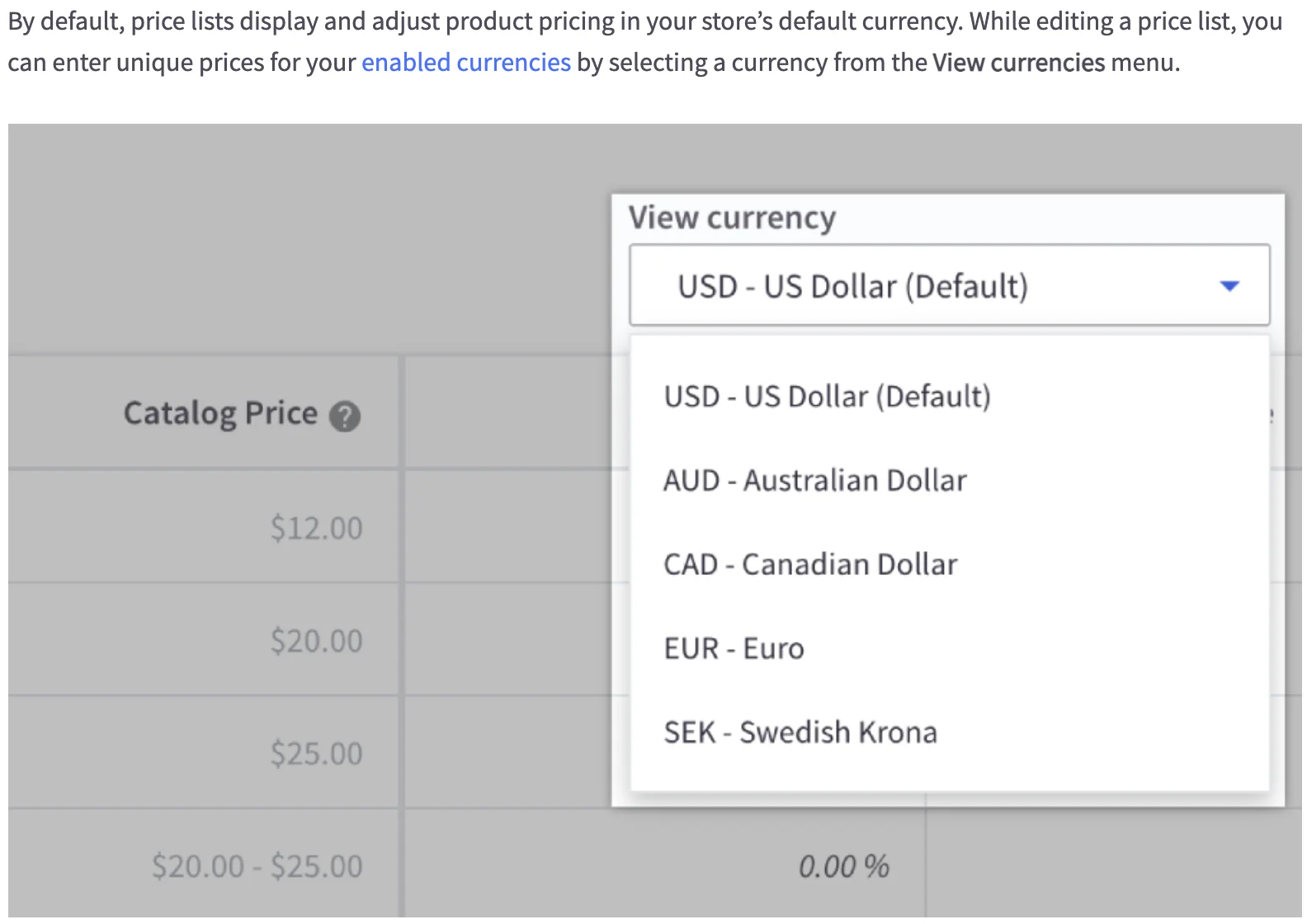
A feed that takes the catalogue price and links to a storefront with its own price list sends one price while the page shows another. Google disapproves that as a mismatched price, and ChatGPT gets the wrong number. Build one feed per storefront, with that storefront's URL, price list and currency, and only the products assigned to it.
Custom fields and modifiers
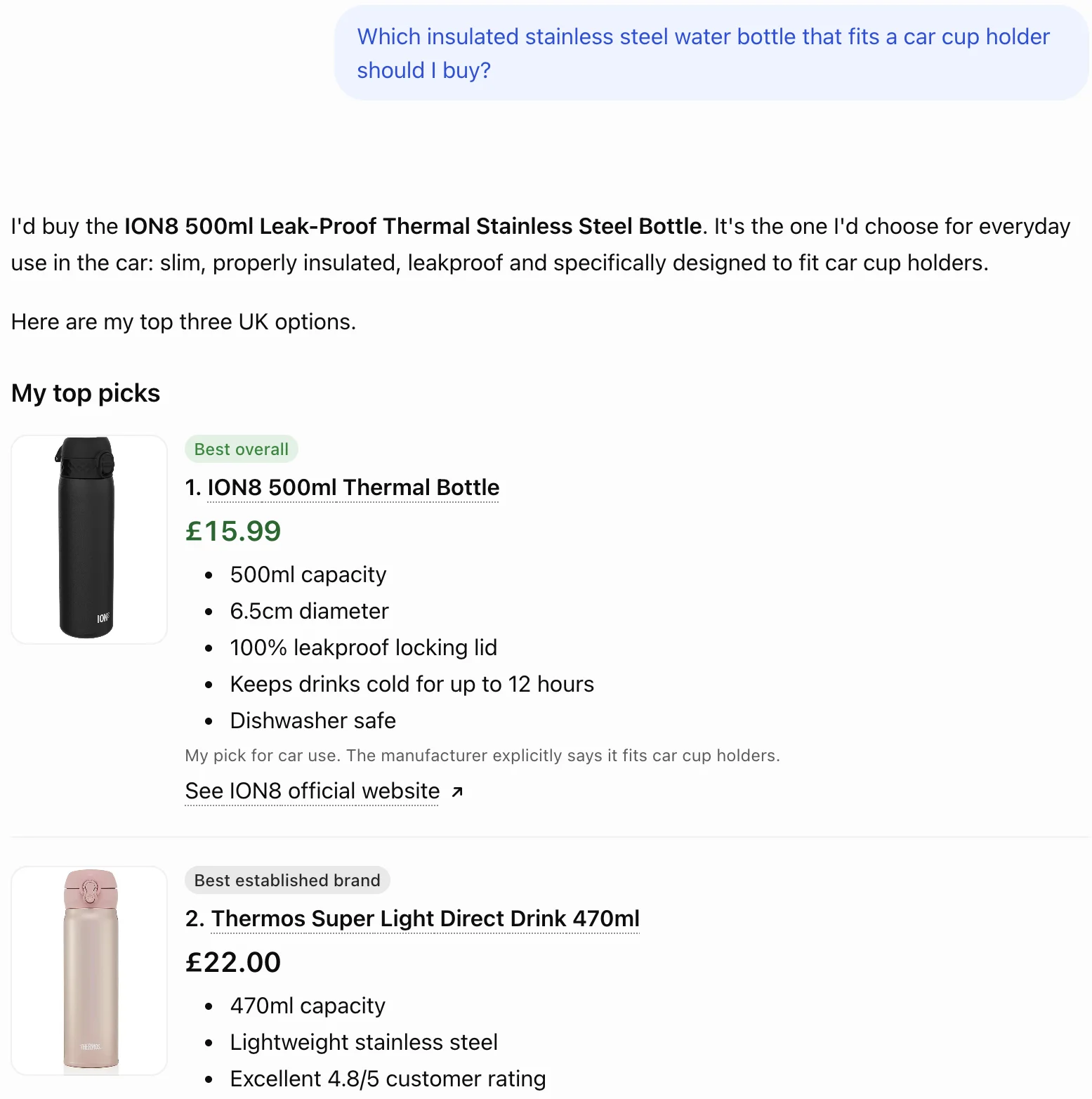
That bottle won because its diameter is written down somewhere a model could read it. On BigCommerce a fact like that usually lives in a custom field.
Most BigCommerce stores we see keep material, capacity, fit and gender in custom fields. They belong to the product, not the variant5, and their names are whatever someone typed, so a custom field reading "Colour: Red, Blue, Green" lands on every variant row and the blue bottle claims to be all three. Map each custom field to the attribute it stands for, and take colour and size from the variant's own options.
Sizes cause the other half of the trouble. BigCommerce has two kinds of option: variants are separate products with their own SKU, price, stock and identifiers, while modifiers are add-ons with no SKU and no stock4.
A size built as a modifier never becomes a row, so an assistant asked for "the 750ml in black" has nothing to match. If a choice changes what leaves the warehouse, make it a variant; BigCommerce allows 600 per product4.
When the fixes have to reach every channel at once
The cleanup above is the same few thousand edits whichever channel asks for them, so it should happen once, in one place, and reach every feed.
On BigCommerce the values Google and the assistants read usually sit in custom fields and descriptions. Aurora, the agent in FeedWorks, drafts the rules that move them into the right fields, and by default someone on your team approves them, so thousands of fields can be filled in one action.
FeedWorks imports BigCommerce natively, with each variant as its own product and the custom fields alongside, and a rule written once feeds every channel. Google and Meta are sent direct; the ChatGPT, Copilot and Perplexity files are built to each one's template for you to submit.