Getting a WooCommerce store into ChatGPT and the other AI assistants
WooCommerce has no built-in route into ChatGPT as of November 2026, so a Woo store gets there with its own feed in OpenAI's format, through OpenAI's Business Hub. Google for WooCommerce reaches AI Mode, Gemini and Copilot, but it only maps global attributes, so the facts you typed on product pages or left in descriptions never reach the fields assistants match on.
Last verified 21 November 2026. A five minute read.
What WooCommerce does for AI shopping today
Nothing in WooCommerce sends your products to ChatGPT. OpenAI lists Shopify and Etsy as already integrated, and invites everyone else to apply6. What Woo has built instead is in its own status table as of 21 November 20261.
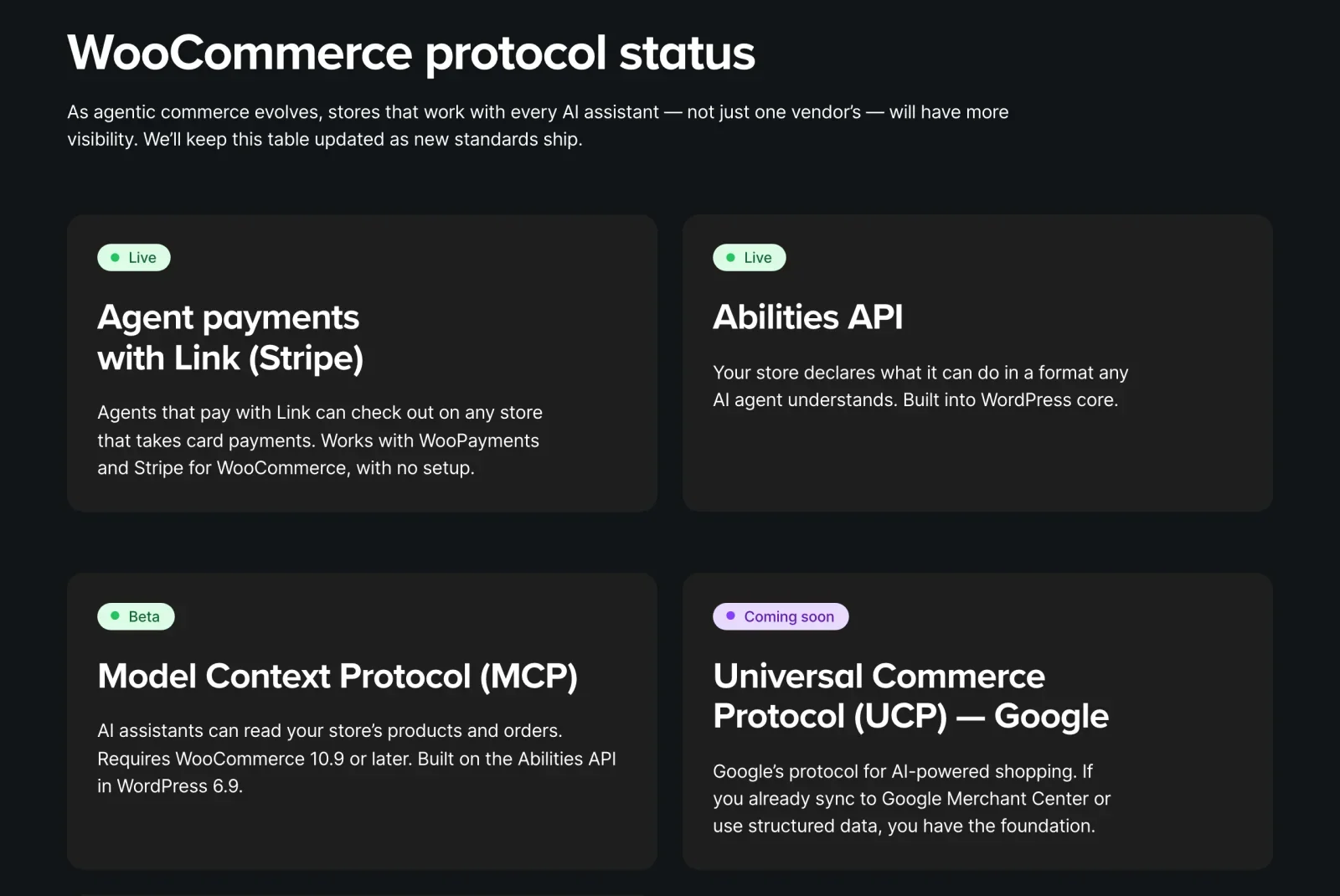
- Agents that pay with Stripe's Link (called Onelink in the UK since 30 May 202623) can check out on a Woo store taking cards through WooPayments or the Stripe extension. Woo names Muse, Grok Bot, Instinct and Claude Duet2.
- Model Context Protocol (MCP), which lets an AI assistant use your store's tools, is in beta from WooCommerce 10.91. It helps you run the store more than it helps shoppers find it.
- Google's checkout protocol, UCP, is a pilot with a small group of Woo merchants, planned for every store by version 11.42.
- OpenAI and Stripe's ACP checkout is live for a limited number of Woo merchants, per Woo's 19 November post2, though the status table still says coming soon.
Woo said in August it was testing OpenAI's product feed spec3. We found nothing shipped from that as of 21 November.
Global attributes, custom attributes, and what reaches a channel
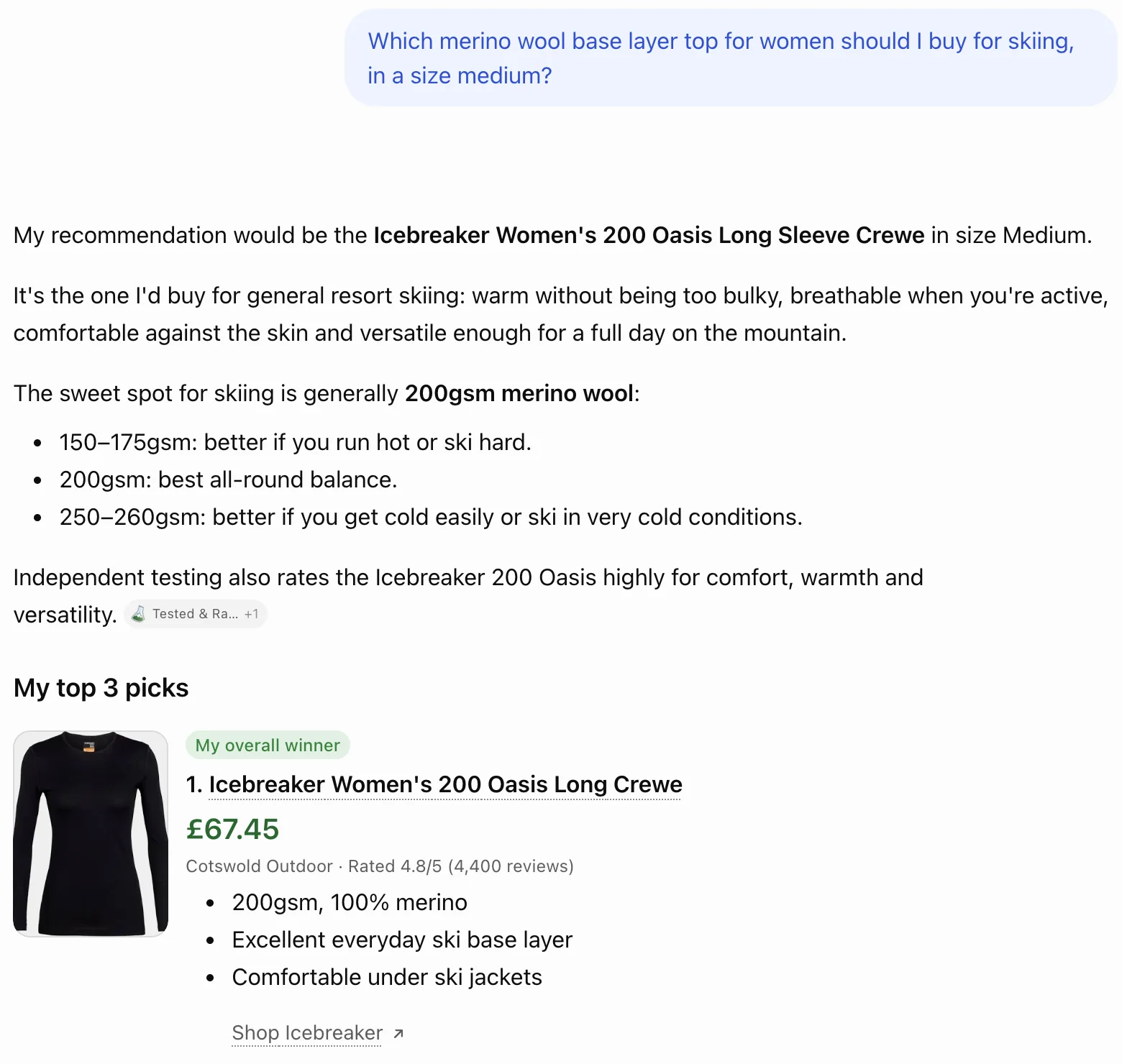
ChatGPT chose that base layer on its fabric weight. Most Woo clothing stores we open know the weight of every top, and keep it where no channel looks.
WooCommerce has two kinds of attribute. Global ones live under Products, Attributes and share one list of values across the store; custom ones are typed on a single product, split by a pipe, and belong to that product alone11. Years of custom ones are why one product says "Navy", the next "navy blue" and a third "Dark blue".
| Where it lives in WooCommerce | What reaches a channel |
|---|---|
| Global attributes | Can be mapped, if Google for WooCommerce has a field for it12 |
| Custom attributes on one product's page | Not supported by Google for WooCommerce's mapping12 |
| Brands, in core since 9.614 | Can be mapped to brand12 |
| Categories and tags | A path or free text, not a value per field |
| The description | Sentences, never split into fields |
Google for WooCommerce is the nearest thing Woo has to a one-click route, and it's free to list with18. It can map 15 attributes, colour, material, pattern, size and gender among them12. That's Google's list only, and nothing in Woo reads "200gsm" out of a description for any channel.
Variations that leave the assistant guessing
A variation can stand for "Any" value of an attribute, and WooCommerce warns this can make variations duplicates of each other10. To an assistant, "Any Size" is a row with no size, so it can't answer "do you have it in a 10".
WooCommerce has had a GTIN field on variations since version 9.213. Leave a variation's blank and it falls back to the product's10, which puts one barcode on six sizes. Fill it on every variation and run them through the GTIN checker.
A variation's link is the parent page plus its attributes, such as ?attribute_pa_colour=navy, and a page cache can serve the wrong preselected option15.
OpenAI and Google both want the link to open with the variation chosen816.
Click five variation links from your feed in a private window; if the page shows the wrong size or price, an assistant sees it too.
Getting into ChatGPT and the rest
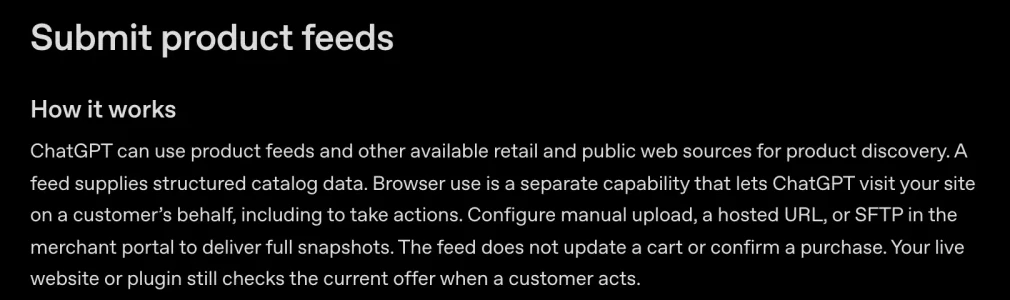
OpenAI's guide says to claim your business in Business Hub, verify your identity, pick countries and currencies, then send the file by upload, a hosted URL or SFTP7.
The merchant page still offers a form and a waitlist6, so use that if the product section won't open.
The file wants one row per variation, tied together with group_id8.
OpenAI lets merchants use their own checkout9, and the only ACP checkout route for Woo is its own limited programme2, so be wary of plugins selling "ChatGPT checkout".
| Assistant | The way in for a Woo store | Guide |
|---|---|---|
| ChatGPT | Your own file in OpenAI's format, through Business Hub. US shoppers only67. | ChatGPT |
| Google AI Mode and Gemini | Your Merchant Center feed, which Google for WooCommerce can send18 | AI Mode |
| Microsoft Copilot | Microsoft Merchant Center, importing your Google feed19 | Copilot |
| Perplexity | Its merchant form20, or PayPal Store Sync17 | Perplexity |
| Meta and Muse | Your Meta catalogue is the feed: the Commerce Manager catalogue your ads run on21. Meta has published no separate Muse spec as of 21 November 202622. Muse can pay with Link at your checkout, US only, per Woo2. | Muse |
Stripe's Agentic Commerce Suite takes a CSV of the same catalogue45, though not yet for WooPayments stores3, and PayPal Store Sync takes a Google Shopping-style file in the US and UK17.
Every one of these routes carries your catalogue as it sits in WooCommerce, in the same shape as every other Woo store's, so none of them gives you an edge.
When your barcodes and values differ on every variation
Moving custom attributes to global ones and filling every variation's GTIN is the right fix in WooCommerce, and it's a long one. It also has to be redone for every product a supplier sheet adds next month.
FeedWorks imports WooCommerce with each variation as its own product, carrying its attributes, global or custom, and its own GTIN. Rules pull colour, material and pattern out of titles, descriptions and tags and merge "navy blue" and "NAVY" into the value each channel expects, and they keep running on every import. GTIN length and check digit are checked before the feed goes out.
Aurora can also run a weekly task that counts products missing a GTIN and emails you when the number goes up. From the same catalogue, FeedWorks sends Google and Meta directly and builds the ChatGPT, Copilot and Perplexity files for you to submit.